Need help?
Do you have a question about the TFA ICON and is the answer not in the manual?
Covers product intended use, unauthorized modifications, and general operation safety precautions.
Details safe practices for mains voltage, socket accessibility, water contact, and handling damaged parts.
Addresses battery hazards, storage, disposal, and safe handling of leaking batteries to prevent injury.
Advises against exposing the device to extreme temperatures, vibrations, or shocks.
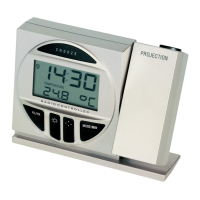
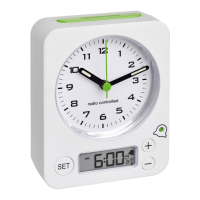
Identifies and explains the display indicators, buttons, and housing features of the alarm clock.
Guides users on connecting the power adapter and inserting backup batteries for power failure protection.
Explains the process and indicators for receiving the DCF radio-controlled time signal.
Details how to manually adjust the time, time zone, and switch between 12/24 hour formats.
Explains how to set, activate, deactivate, and manage alarm times and snooze intervals.
Describes how to adjust the display brightness or turn it off using the snooze/light button.
Provides solutions for common problems like 'No display' or incorrect indications.
Lists technical details including power consumption, dimensions, weight, and battery requirements.
Covers EU Declaration of Conformity, waste disposal guidelines, and contact information.
 General
| Display | LCD |
|---|---|
| Alarm | Yes |
| Snooze function | Yes |
| Type | Digital clock |
| Functions | Date |
| Time format | 12/24 hour |

 To Next Page