EasyManua.ls Logo

TFA 98.1009 - User Manual

TFA 98.1009
123 pages
Go to English
Print Icon
To Next Page IconTo Next Page
Loading...
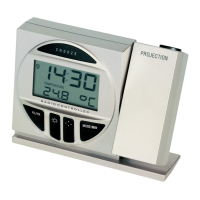
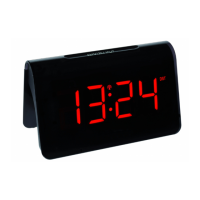
FUNKGESTEUERTE PROJEKTIONS-UHR MIT DIGITAL-THERMOMETER
Bedienungsanleitung
KAT.NR. 98.1009
Vielen Dank, dass Sie sich für dieses Gerät aus dem Hause TFA entschieden haben.
Bevor Sie mit dem Gerät arbeiten,
Lesen Sie sich bitte die Bedienungsanleitung genau durch.
So werden Sie mit Ihrem neuen Gerät vertraut, lernen alle Funktionen und Bestandteile kennen, erfahren
wichtige Details für die Inbetriebnahme und den Umgang mit dem Gerät und erhalten Tipps für den
Störungsfall.
Durch die Beachtung der Bedienungsanleitung vermeiden Sie auch Beschädigungen des Geräts und die
Gefährdung Ihrer gesetzlichen Mängelrechte durch Fehlgebrauch.
Für Schäden, die aus Nichtbeachtung dieser Bedienungsanleitung verursacht werden, übernehmen
wir keine Haftung. Ebenso haften wir nicht für inkorrekte Messwerte und Folgen, die sich aus
solchen ergeben können.
Beachten Sie besonders die Sicherheitshinweise!
Bewahren Sie diese Anleitung gut auf!
Lieferumfang:
Funk-Projektionsuhr
Netzstecker
Bedienungsanleitung
125*75mm
Question and Answer IconNeed help?

Do you have a question about the TFA 98.1009 and is the answer not in the manual?

Summary

Field of Operation and Benefits at a Glance

For Your Safety

Product must be used as described and unauthorized modifications are prohibited.

Caution! Risk of Electrocution!

Caution! Risk of Injury:

Important Information on Product Safety!

Buttons Overview

SNOOZE Button

Activates or deactivates the snooze function.

Brightness Button

Activates projection brightness at the highest level.

Detailed Button Functions

AL;HR Button Functions

Controls alarm setting, activation/deactivation, and time/day setting.

MODE;MIN Button Functions

Manages time setting, display toggling, time zone setting, and minutes/month setting.

Direction Button Functions

Projects the image direction, offering 4 different orientations.

Setting Up

Batteries Installation

Guide for inserting AA alkaline batteries into the battery compartment.

Using the Projector Power Adapter

Resetting the Projection Clock

How to Use the Projector

Checking for DCF-77 Reception

Time Zone Setting

Alarm Setting

Snooze Setting

Details on how to use the snooze feature for the alarm.

LCD Screen Display

Manual Settings

Manual Time Zone Setting

Procedure for manually setting the time zone.

Calendar Setting

Troubleshooting

Back-light

Information on how the LED back-light operates.

Battery Replacement

Guidelines for replacing batteries when functions weaken.

Care and Maintenance

Instructions for cleaning and protecting the device from moisture.

Specifications

Waste Disposal

Information on environmentally compatible disposal of the instrument.

EU Declaration of Conformity

Summary

Field of Operation and Benefits at a Glance

For Your Safety

Product must be used as described and unauthorized modifications are prohibited.

Caution! Risk of Electrocution!

Caution! Risk of Injury:

Important Information on Product Safety!

Buttons Overview

SNOOZE Button

Activates or deactivates the snooze function.

Brightness Button

Activates projection brightness at the highest level.

Detailed Button Functions

AL;HR Button Functions

Controls alarm setting, activation/deactivation, and time/day setting.

MODE;MIN Button Functions

Manages time setting, display toggling, time zone setting, and minutes/month setting.

Direction Button Functions

Projects the image direction, offering 4 different orientations.

Setting Up

Batteries Installation

Guide for inserting AA alkaline batteries into the battery compartment.

Using the Projector Power Adapter

Resetting the Projection Clock

How to Use the Projector

Checking for DCF-77 Reception

Time Zone Setting

Alarm Setting

Snooze Setting

Details on how to use the snooze feature for the alarm.

LCD Screen Display

Manual Settings

Manual Time Zone Setting

Procedure for manually setting the time zone.

Calendar Setting

Troubleshooting

Back-light

Information on how the LED back-light operates.

Battery Replacement

Guidelines for replacing batteries when functions weaken.

Care and Maintenance

Instructions for cleaning and protecting the device from moisture.

Specifications

Waste Disposal

Information on environmentally compatible disposal of the instrument.

EU Declaration of Conformity

TFA 98.1009 Specifications

General IconGeneral
TypeDigital alarm clock
Time format12/24h
Product colorSilver
Snooze functionYes
Temperature measurement units°C
Battery typeAA
Power sourceBattery
Number of batteries supported2
Display typeDigital
Weight and Dimensions IconWeight and Dimensions
Dimensions (WxDxH)93 x 36 x 125 mm

Related product manuals