: Exit the setting modes
: Back-light-On
AL/HR : Enter alarm setting mode
: Activate or deactivate alarm
: Stop alarm and snooze function
: Set the hours and day
: Back-light-On
MODE/MIN : Enter manual time setting mode
: Toggle between indoor temperature, seconds, alarm time, and date display
: Enter time zone setting mode
: Set the minutes, weekday and month
: Stop alarm and snooze function
: Back-light-On
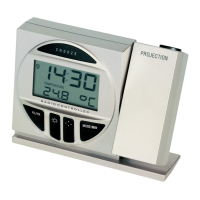
: Set the brightness level of the projection (in A/C power mode)
(4 levels: High, Medium, Low, OFF)
: Back-light On
: Project the image direction (can display 4 different orientations)
: Back-light On


 To Next Page