MANUAL SETTINGS:
MANUAL TIME ZONE SETTING
The time zone can also be set during manual setting (default: 0h hour). To do this
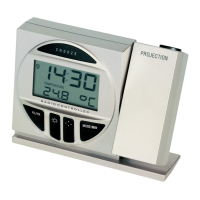
1. Press and hold the MODE/MIN button firmly while inserting the batteries until the time zone
digits starts flashing.
2. Use the MODE/MIN button to select the time zone (+/- 9hours)
3. Press the SNOOZE button to confirm the time zone and enter the Manual time setting mode or
wait for 10 seconds for automatic timeout.
MANUAL TIME SETTING
In some cases after inserting the batteries, the Projection clock may not be able to receive the DCF-77signal.
In this situation, the time should be manually set (before manual setting see Checking DCF-77 Reception
above).


 To Next Page