13
Operation
1
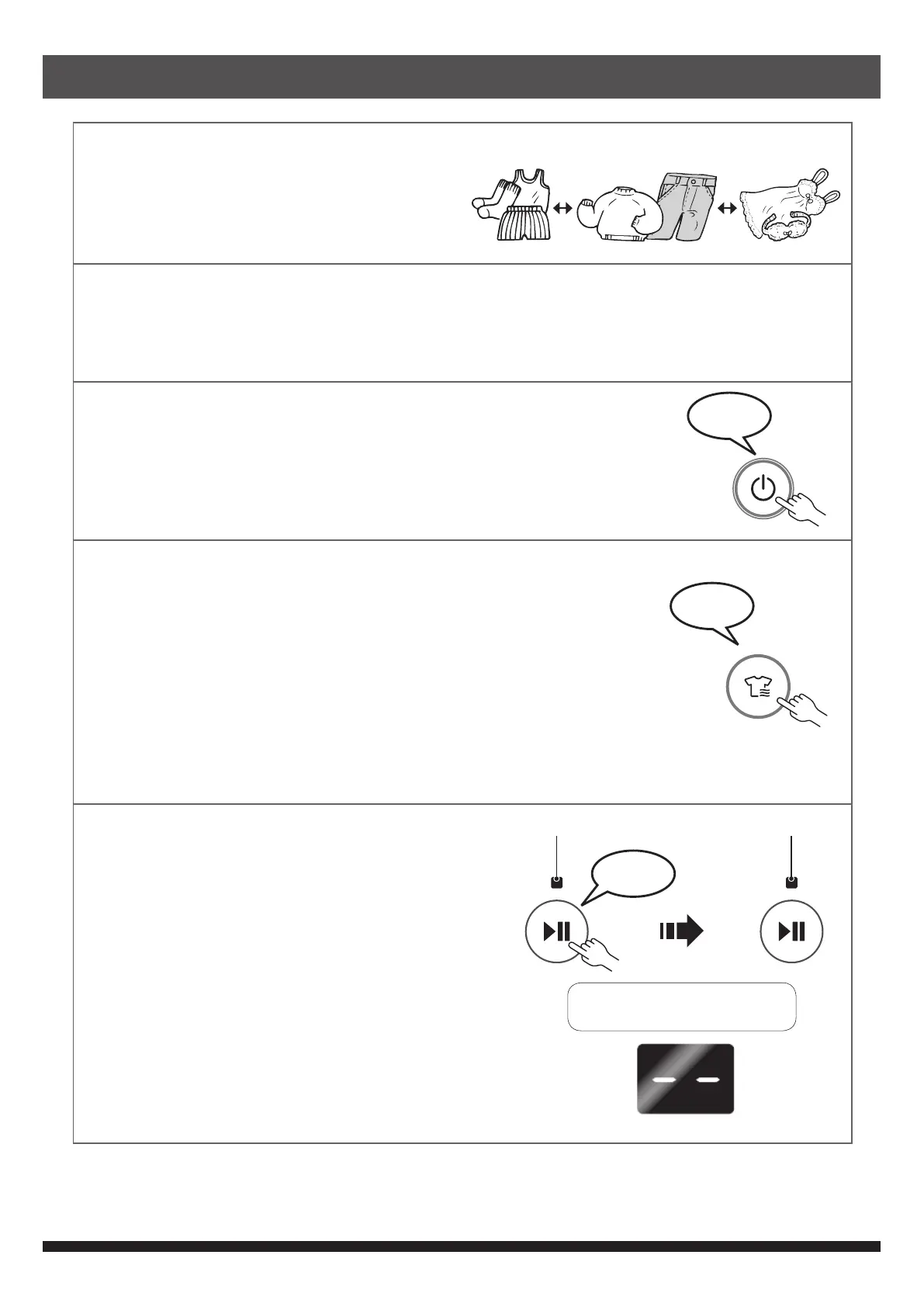
Sort clothes for drying
• Screen out clothes that are not
suitable for tumble dry.
• Select program based on clothes type.
2
Open door and put spin-dried clothes into the dryer
• Use washer to spin-dry the clothes. Loosen the clothes and put them one by one into
machine to avoid tangling and creases.
• Be sure the lint lter is xed on the right position before loading.
3
Close door and press the ON-OFF button
• GENERAL lamp is on.
4
Choose drying program
• Press the PROGRAM button to choose program, including
GENERAL, THICK/EXTRA, DELICATE and WARM.
• GENERAL is the default program if the PROGRAM button is
not pressed.
• Alternatively, press the FAST 1KG button to choose the FAST
1KG program.
• Alternatively, press the TIMER button to adjust drying time
manually.
5
Press the START/PAUSE button
• The indicator of chosen program and the
OPERATION lamp light up green.
• After ignition, the OPERATION lamp
changes to red light.
• The OPERATION lamp lights up red or
green alternately before drying nished.
This is normal.
• The digital display shows the estimated
drying time after blinking for about 2 minutes.
GENERAL THICK DELICATE
beep
beep
After about 5 to 10 seconds
Light (green) Light (red)
beep
Blink for about 2 minutes


 To Next Page