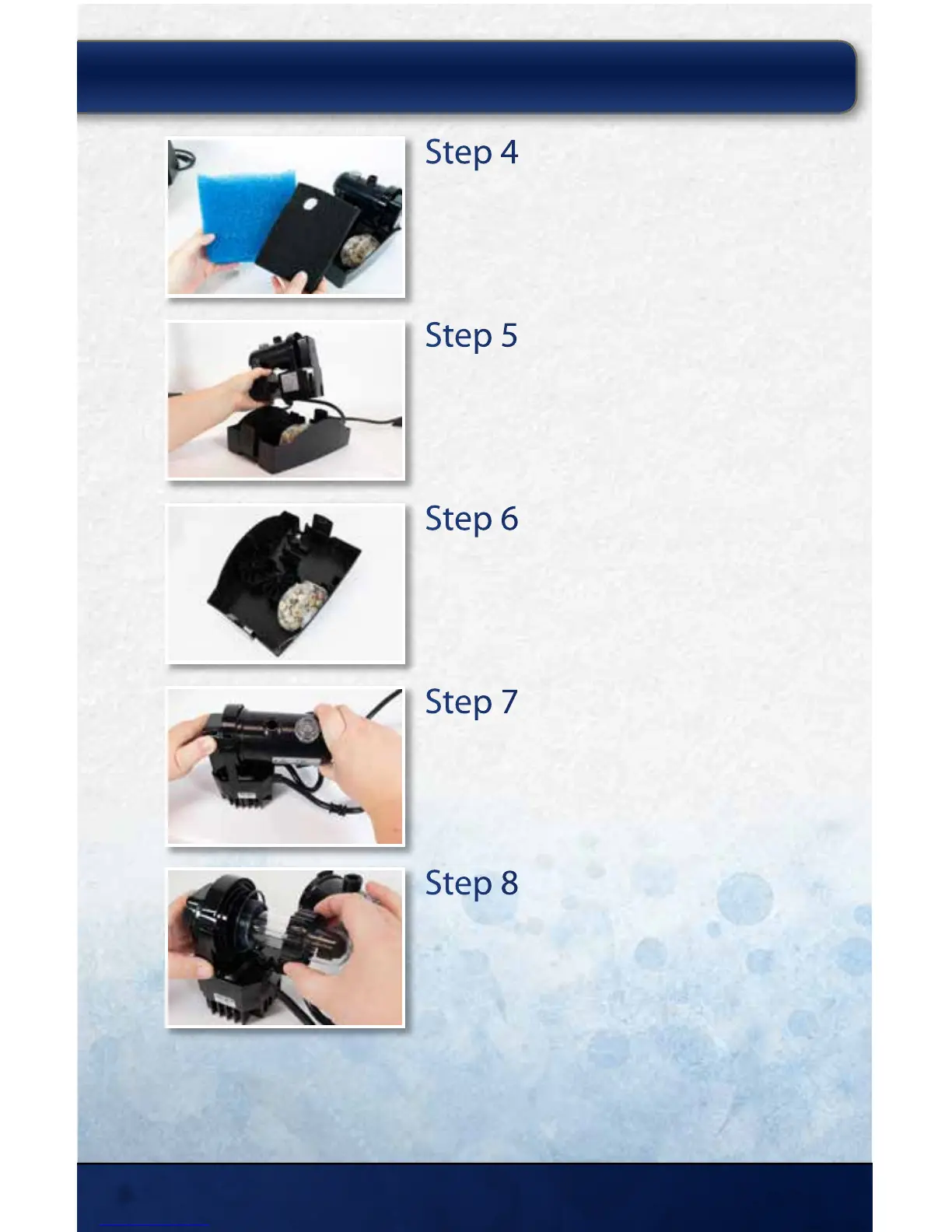
Step 4
Remove Media Pads
Remove and discard the old lter media pads.
Step 5
Remove UV and Pump
Remove the UV and pump assembly from the lter base.
Step 6
Clean Filter Base
Gently rinse any heavy debris from the lter base with
water.
Step 7
Remove UV Housing
Press and hold the clip on the UV and twist the UV
housing in the direction indicated to remove.
Step 8
Remove Compression Nut
Remove the screw in the compression nut using a #2
Phillips screwdriver and unscrew the compression nut
to remove the quartz sleeve.
MAINTAINING YOUR CLEARSOLUTION
™
FILTER:
thepondguy.com | 866-POND-HELP (766-3435)
8



 To Next Page