— E16 —
Operation
Playing Songs from the USB (Continued)
10
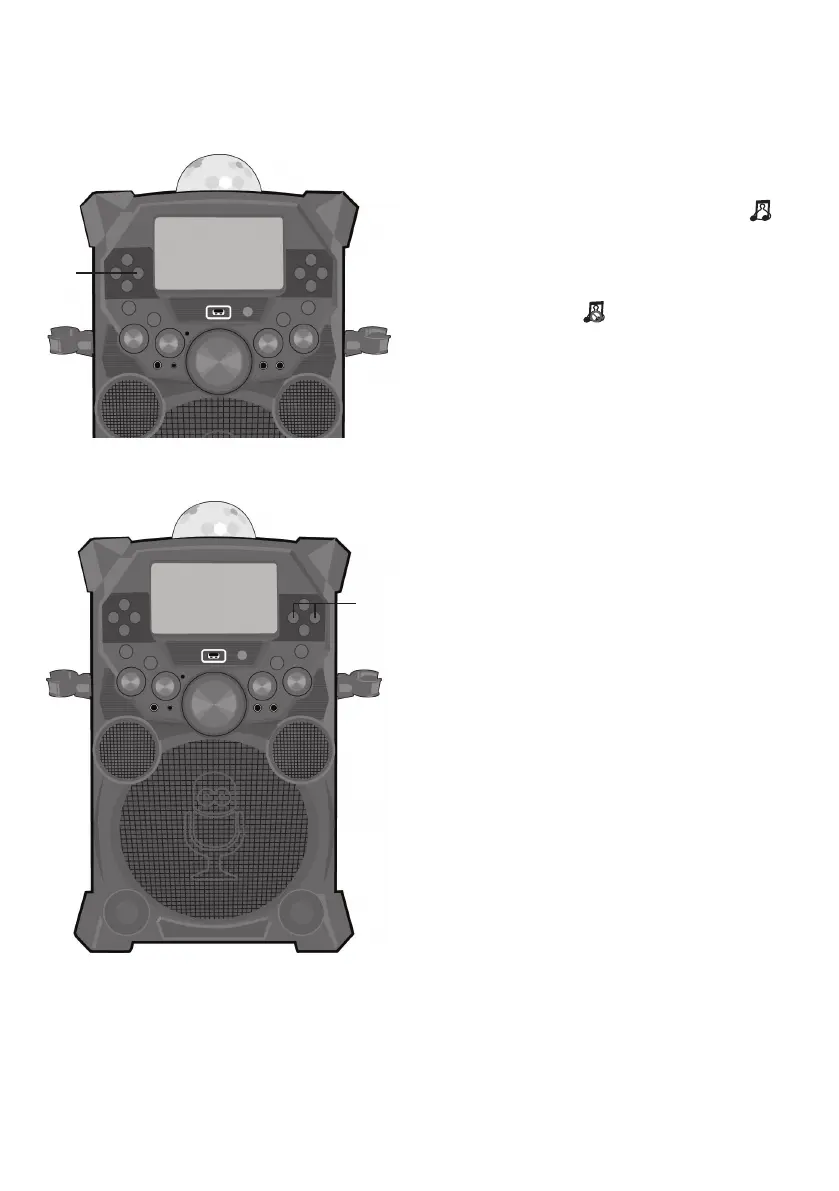
VOCAL: To sing with the lead
singer on the recording, press
the VOCAL/PAIR button; “ ”
will appear at the top right of the
monitor. To listen to music only,
press the VOCAL/PAIR button
again; “ ” will appear over the
Lead Vocal Status icon.
Note: The song must be recorded with
separate vocals that is downloaded (aka
multiplex recording) in order to utilize the
Lead Vocal function.
11
SKIP: Advance or go backone
track by pressing the
Navigation4 Right or 3 Left
button.
12
TO ADVANCE ON THE TRACK:
During playback, press and hold
the Navigation 4Right or
Left 3 button to move forward
or backward. When you release
the button, normal playback will
resume.
at
ak











 To Next Page