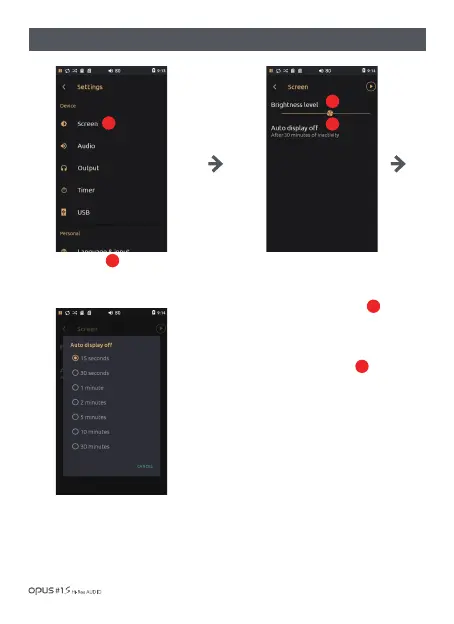
Press ‘Screen’ in Device in
settings menu to enter Screen
settings screen.
| ‘Screen’ settings screen
You may set the brightness level
and auto display off time in ‘Screen’
menu.
Adjust brightness level bar to
an appropriate level.
Auto display off time may be set
at 7 different times: 15, 30 seconds,
1, 2, 5 and 10 minutes.
2
3
1
1
2
3
Using the device / 25


 To Next Page