Using the device / 30
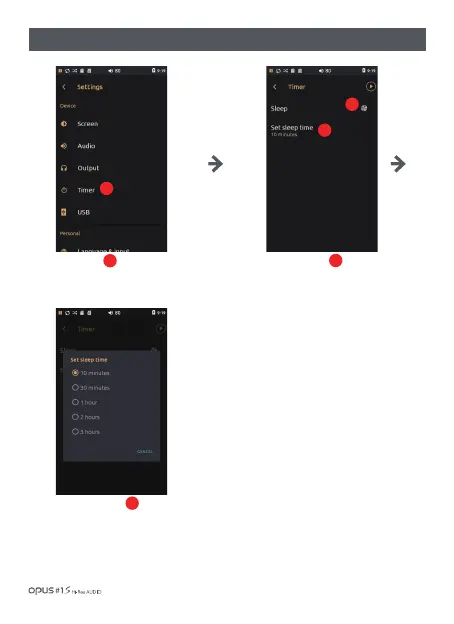
Press ‘Set sleep time’ to enter the
menu for time setting.
Set the time to one of the following
5 time limits: 10, 30 minutes, 1, 2 or
3 hours.
Press Sleep button to activate the
automatic turn off function after set
period of time.
Press ‘Timer’ in Device in
settings menu to enter Timer
settings screen.
1
| ‘Timer’ settings screen
1
2
2
3
3



 To Next Page