※Caution! Read carefully!
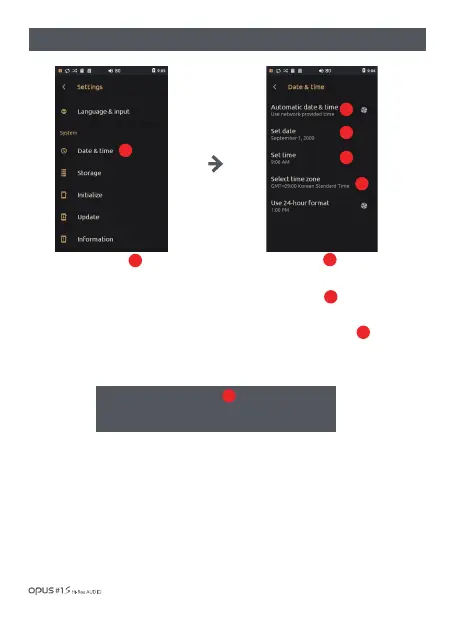
Opus#1 does not support “Automatic date & time”.
Please turn off this function to adjust date and time.
| ‘Date & Time’ settings screen
Press ‘Date & Time’ in System
in settings menu to enter the
information menu.
Press ‘Set date’ to adjust
local date.
Press ‘Set time’ to adjust
local time.
Press ‘Select time zone ’ to
adjust local time zone.
1
3
4
5
2
1
2
3
4
5
Using the device / 33



 To Next Page