Using the device / 32
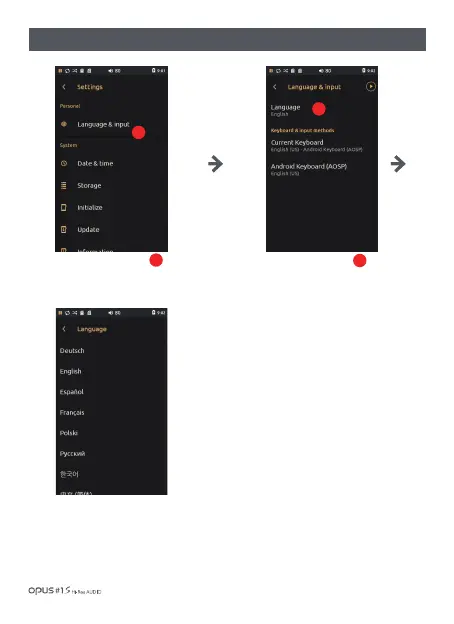
| ‘Language & input’ settings screen
Choose your language.
Scroll down to search for a language.
Press ‘Language & input’ in
Personal in settings menu and press
‘Language’ in Language & input menu
to enter Language settings screen.
1
Press ‘Language’ menu to
enter language choice menu.
2
1
2



 To Next Page