INSTALLING YOUR ALLCLEAR
™
G2 FILTER:
Watch a video of the AllClear™ G2 Filter installation
online @ www.thepondguy.com/allclearg2
For Best Results
• Run the AllClear™ G2 Filter 24 hours a day.
• DO NOT operate the AllClear™ G2 Filter
with a pump larger than the maximum ow
rate indicated by the lter specications.
Operating with a pump larger than
recommended can reduce the lters
eectiveness and cause damage to the
lter or UVC and will NOT be covered
under warranty.
• DO NOT operate during freezing
conditions. Disconnect, drain and store the
AllClear™ G2 Filter in a protected area.
Tools Required:
• Shovel
• Hacksaw
• Flathead Screwdriver or Nut Driver
Step 1
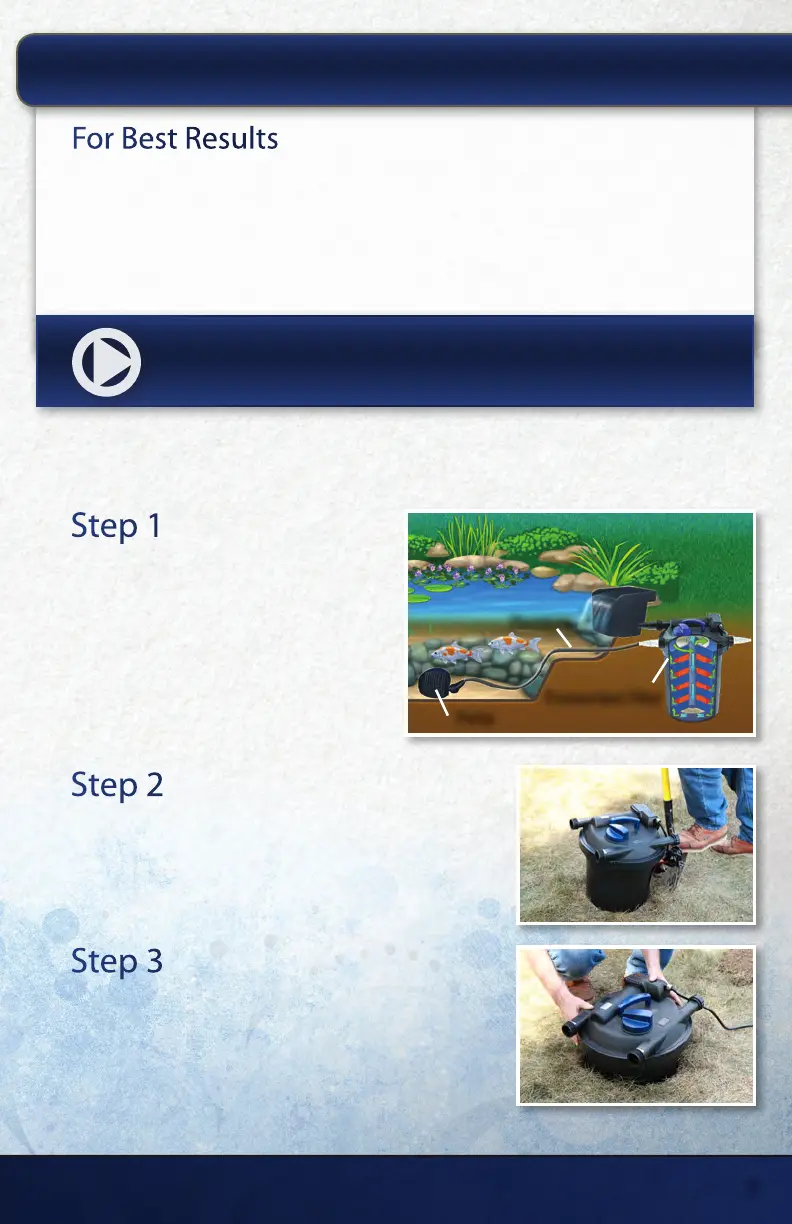
Determine Filter Location
The AllClear™ G2 Filter is pressurized and
may be installed in any location outside of
the pond on a solid surface. Avoid locations
that are prone to water puddles or areas
where the lter could fall into the pond. It
is recommended to partially bury the lter
in the ground leaving only the lter top and
clamps exposed.
Step 2
Mark Filter Location
Set the lter in the selected location and use a shovel
to mark an area slightly wider than the lter.
Step 3
Excavate Hole and Insert Filter
Excavate the hole deep enough for the clamp on the
lter top to remain a few inches above the ground’s
surface, and then insert the lter. Be sure to position
the lter so the inlet and outlet are setup for easy
connection to your plumbing. Finish by backlling dirt
around the lter to keep it in place.
15425 Chets Way | Armada, MI 48005
5
Pump
Pressurized Filter
Plumbing


 To Next Page