EasyManua.ls Logo

THERM PRO TP-04 - User Manual

THERM PRO TP-04
4 pages
Print Icon
To Next Page IconTo Next Page
Loading...
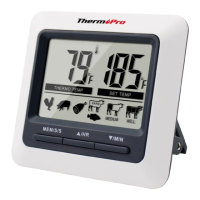
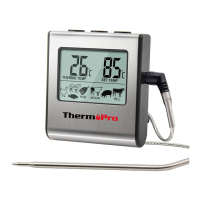
Digital Food Thermometer
Model No. TP-04
Keys Definition
1. Temperature Probe Socket: Firmly Insert temperature
into this socket to measure meat temperature.
probe
2. LCD Screen: Displays meat temperature and set temperature
while in cook mode. Displays countdown/up when in timer mode.
Key Definition
EN
-1-
Temperature Probe Socket
LCD Screen
MEM S/S Button
Up Arrow/HR Button
Down Arrow/ MIN Button
˚F or ˚C Selector
Mode Selector
Flip-out Counter Top Stand
Magnet
Battery Compartment
The probe and cable are not dishwasher safe. They must
be hand washed using hot water and soap. Make sure to
rinse and dry the probe thoroughly before storing.
Do not submerge the base unit in water or expose to any
corrosive cleaning materials. Wipe with damp cloth.
LIMITED 90 DAYS WARRANTY
Thermopro warrants this product to be free of defects in parts,
materials and workmanship for a period of 90 days, from date
of purchase.
Should any repairs or servicing under this warranty be required,
contact
how to pack and ship the product to Thermopro.
Customer Service by phone or email for instructions on
CUSTOMER SERVICE
Telephone: 1-877-515-7797 (USA & Canada only)
Email: service@buythermopro.com
Hours: Weekdays 9:00 AM- 5:00 PM EST
This warranty gives you specific legal rights and you may also
have other rights which vary from state to state.
-8-
Question and Answer IconNeed help?

Do you have a question about the THERM PRO TP-04 and is the answer not in the manual?

Summary

Key Definitions

Temperature Probe Socket

Firmly insert temperature probe into this socket to measure meat temperature.

LCD Screen

Displays meat temperature and set temperature in cook mode, or countdown/up in timer mode.

Button Functions

Defines buttons like Down Arrow/MIN, Up Arrow/HR, and MEM S/S for setting and control.

Device Components

Identifies Battery Compartment, Mode Selector, °F or °C Selector, and Flip-out Counter Top Stand.

Warranty and Service Information

Limited 90 Days Warranty

Thermopro warrants the product against defects for 90 days from purchase.

Customer Service Contact

Provides phone and email for warranty repairs, servicing, and instructions.

Features and Specifications

Programmable Alerts and Timer

Features programmable alerts with preset temperatures and a 23-hour countdown timer.

Probe and Temperature Specs

Details probe material, temperature range (32°F-482°F), and internal reading tolerance (+/-1.8°F).

Device Features

Includes °F/°C readings, flip-out stand, magnet, and AAA battery operation.

Setup and Important Notes

Battery Installation

Instructions for opening the compartment, inserting the AAA battery, and replacing the cover.

Important Warnings

Safety notes include not using in microwaves, keeping away from children, and handling hot probes.

Operating Instructions

Using the Cooking Thermometer

Guides on probe cleaning, connection, mode selection, temperature setting, and food insertion.

Temperature Monitoring and Alerts

Explains how the unit displays temperatures, alerts when set temp is reached, and how to silence alarms.

Precautionary Measures

Advises on probe cable slack, base unit placement, avoiding hot surfaces, and handling hot probes.

Cooking Modes and Care

Quick Temperature Setting

Steps to select food type and confirm preset temperatures, with options for manual adjustment.

Preset Temperature Chart

Lists recommended internal temperatures for various food types like fish, beef, ham, poultry, and veal.

Manual Temperature Setting

Instructions for setting a desired cooking temperature manually using arrow buttons.

Countdown Timer Operation

How to set hours/minutes, start, pause, restart, and silence the countdown timer.

Cleaning and Care

Guidelines for cleaning the unit, emphasizing it's not waterproof and avoiding liquid damage.

THERM PRO TP-04 Specifications

General IconGeneral
BrandTHERM PRO
ModelTP-04
CategoryThermometer
LanguageEnglish

Related product manuals