EasyManua.ls Logo

THERM PRO TP-17 - User Manual

THERM PRO TP-17
34 pages
Go to English
Print Icon
To Next Page IconTo Next Page
Loading...
Kochen wie ein Profi - Jedes Mal!
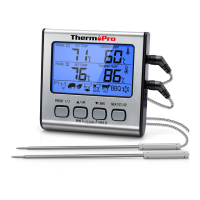
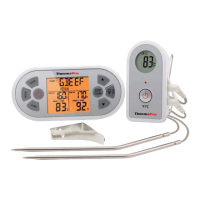
Digitales Lebensmittel-Thermometer mit Dual-Sonden
Modell-Nr.: TP-17
V20170731 EN DE FR IT ES
DE
Bedienungsanleitung.............. 6
EN
Instruction Manual................ 18
FR
Mode d’emploi...................... 30
IT
Istruzioni per I’uso................. 42
ES
Manual de instrucciones....... 55
Esta garantía le otorga derechos legales específicos y puede que usted
tenga otros derechos que varíen sen el estado.
Servicio al Cliente
Tefono: 1-877-515-7797(solo Estados Unidos & Canadá)
Correo electrónico: service@buythermopro.com
Horarios: Días laborables: 8:00 AM - 6:00 PM EST
-67-
PROBE
SET TEMP
THERMO TEMP
1
PROBE
SET TEMP
THERMO TEMP
2
PROBE
1
MEDIUM
CLEAR
ES

Table of Contents

Question and Answer IconNeed help?

Do you have a question about the THERM PRO TP-17 and is the answer not in the manual?

Summary

Product Features and Specifications

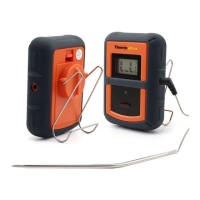
Dual Stainless-Steel Probes

Monitors temperatures of two pieces of meat or two sections simultaneously.

Important Safety Warnings

Usage Restrictions and Handling

Not for microwave use; keep away from children; handle hot probes with gloves.

Probe Care and Limitations

Avoid direct flame, oven elements, and exceeding 716°F to prevent damage.

Operating Instructions

Probe and Device Preparation

Clean probes, plug into sockets, ensure cables are knot-free and fully inserted.

Temperature Unit and Mode Selection

Set temperature display to °F or °C and select cook mode.

Setting Cooking Temperatures

Use Quick Temperature Setting or User-defined settings for probes.

Probe Placement and Oven Use

Insert probes into thickest meat part, ensure slack in oven, device outside.

Quick Temperature Setting

Countdown Timer

Helpful Hints

Cleaning and Probe Contact

Do not immerse probes in water; avoid contact with flames or hot elements.

Cleaning and Care

Water Exposure Warning

The device is not waterproof; avoid exposing plug-ins to liquid.

Customer Service Contact

Support Information

Contact via telephone or email for assistance and operating hours.

THERM PRO TP-17 Specifications

General IconGeneral
DisplayLCD
BatteryAAA Battery
WaterproofNo
Temperature Range-58°F to 572°F (-50°C to 300°C)
Resolution0.1°F / 0.1°C
FeaturesBacklight
Dimensions6.1 x 1.5 x 1.2 inches

Related product manuals