Need help?
Do you have a question about the THERM PRO TP-07S and is the answer not in the manual?
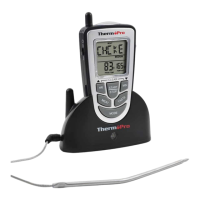
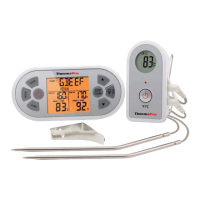
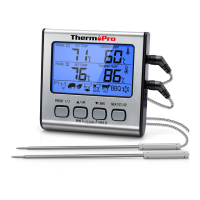
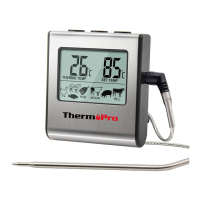
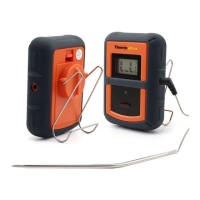
Lists the main parts of the remote food thermometer system including receiver, transmitter, and probe.
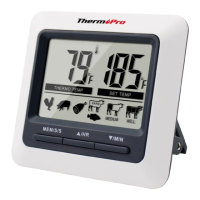
Details the LCD display, backlight, alerts, and countdown timer functionality of the receiver unit.
Selects thermometer or timer mode. Hold for 2 seconds to enter Synchronization/Pairing mode.
Sets hour in timer mode. Hold for 2 seconds to increase hours by 10 per second.
Selects temperature readings in Celsius or Fahrenheit. Hold for 2 seconds to turn unit ON/OFF.
Sets minutes in timer mode. Hold for 2 seconds to increase minutes by 10 per second.
Selects meat type (e.g., BEEF, PORK, CHICKEN) in thermometer mode.
Starts or stops the timer in timer mode.
Selects meat taste level (e.g., RARE, MEDIUM) in thermometer mode.
Instructions for inserting two AAA batteries into both receiver and transmitter units correctly.
Procedure to power on or off the receiver and transmitter units using the °F/°C/ button.
Steps to re-synchronize or pair the transmitter and receiver if they lose connection.
Describes the LCD display functions, including showing temperatures, timer, and probe readings.
Details the transmitter's wire stand, battery compartment, sensor socket, frequency, and transmit power.
Guide to selecting meat type and temperature for accurate cooking measurements.
Instructions for setting custom taste levels (RARE, MEDIUM, WELL DONE) for meat.
Step-by-step guide for using the thermometer on an outdoor grill for cooking meat.
Instructions on how to set and use the countdown timer function.
Instructions on how to set and use the count up timer function.
Safety warnings regarding handling the probe, not for children, and intended use.
Guidance on how to clean the stainless steel probe sensor and the transmitter unit.
Tips for troubleshooting display errors, probe issues, and avoiding water damage.
Details compliance with FCC rules, including conditions for operation and modifications.
Information on the meaning of the 'Dustbin' symbol and proper disposal of electronic waste.
Information on the warranty period, what it covers, and how to obtain service.
Contact information for customer support via phone, email, and operating hours.
 General
| Brand | THERM PRO |
|---|---|
| Model | TP-07S |
| Category | Thermometer |
| Language | English |

 To Next Page