
 Need help?
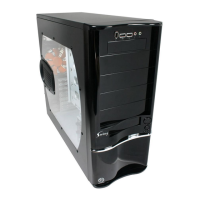
Do you have a question about the Thermaltake Swing VB6000 Series and is the answer not in the manual?
Technical specifications of the VB6000B Series computer case, including dimensions and features.
Instructions for removing and installing the computer case side panel using screws and rails.
Guide on installing 5.25-inch and 3.5-inch devices into the case using tool-less guide rails.
Steps for using the PCI slot tool-free installation feature with a holder mechanism.
Instructions on how to remove the front bezel to access and clean the fan filter.
Guidance on installing the motherboard into the chassis, considering standoff layout and placement direction.
How to connect front panel LEDs and switches like Power, HDD LED, and Reset to the motherboard.
Connecting front panel USB 2.0 and IEEE 1394 ports to the motherboard's internal headers.
Connecting front panel audio jacks (earphone and microphone) to the motherboard's audio connector.
Information about the optional Thermaltake Purepower™ power supply, its features, and protection functions.
 General
| Brand | Thermaltake |
|---|---|
| Model | Swing VB6000 Series |
| Category | Computer Accessories |
| Language | English |

 To Next Page