
 Need help?
Do you have a question about the Thermaltake VIEW 27 and is the answer not in the manual?
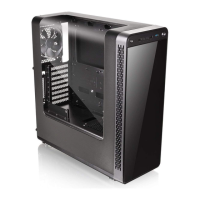
Details the PC case's physical dimensions, I/O ports, expansion slots, materials, and supported motherboards.
Lists all included accessories with part names, quantities, and their intended use.
Specifies the maximum height for CPU coolers to ensure proper fit within the chassis.
Specifies the maximum length for graphics cards (VGA) to ensure proper fit within the chassis.
Instructions on how to remove the side panel from the computer chassis.
Guide on how to properly install the Power Supply Unit (PSU) into the chassis.
Steps for installing the motherboard into the chassis securely.
Instructions for installing 3.5-inch and 2.5-inch Hard Disk Drives (HDDs).
Explanation on how to utilize the PCI slots for expansion cards.
Steps for mounting a radiator for cooling within the PC case.
Guide for installing fans for an air cooling system configuration.
How to connect the case's LED lights and switch leads to the motherboard.
Instructions for connecting USB 2.0 devices to the motherboard.
Steps for connecting USB 3.0 devices to the motherboard.
Guide for connecting audio jacks and front panel audio headers.
Information about Thermaltake's optional power supply units and their benefits.
 General
| Brand | Thermaltake |
|---|---|
| Model | VIEW 27 |
| Category | Computer Accessories |
| Language | English |


 To Next Page