
 Need help?
Do you have a question about the Thermaltake TH120 ARGB Sync and is the answer not in the manual?
Shows installing mounting brackets on the motherboard for Intel LGA 1700, 1200/115X sockets.
Applying thermal paste and attaching the water block to the CPU for Intel installations.
Connecting the necessary cables to the motherboard and cooler for Intel systems.
Attaching the specific mounting brackets to the motherboard for AMD installations.
Applying thermal paste and attaching the water block to the CPU for AMD systems.
Connecting the necessary cables to the motherboard and cooler for AMD systems.
Shows connecting the CPU fan to the CPU FAN PORT on the motherboard.
Shows connecting the pump header to the CPU FAN PORT on the motherboard.
Explains how to switch between 7 LED light modes like Rainbow, Full Light, Flow, etc.
Details color mode adjustments for different light modes, including spectrum and auto rotation.
Describes how to switch between 4 light speed settings: Slow, Normal, Fast, Extreme.
Guide for connecting fans to ASUS/ASRock/BIOSTAR motherboards using Aura Addressable headers.
Guide for connecting fans to MSI motherboards using JRGB-strip headers.
Guide for connecting fans to GIGABYTE motherboards using AOURS RGB Fusion headers.
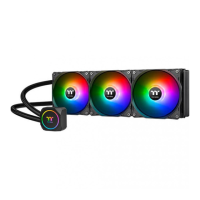
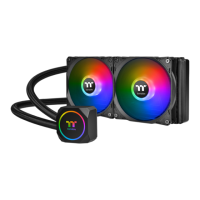
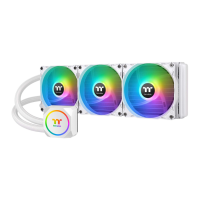
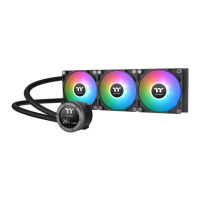
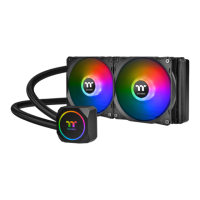
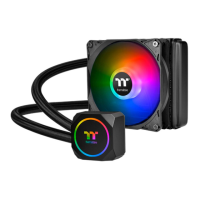
This document provides installation and usage instructions for the Thermaltake TH120 ARGB Sync, a liquid cooling solution designed for computer processors. The cooler is compatible with both Intel and AMD platforms, offering versatile application across various PC builds.
The Thermaltake TH120 ARGB Sync is an all-in-one (AIO) liquid CPU cooler. Its primary function is to dissipate heat generated by the CPU, maintaining optimal operating temperatures and preventing thermal throttling. This is achieved through a closed-loop system that circulates coolant between a waterblock, which sits directly on the CPU, and a radiator equipped with a fan. The radiator expels heat into the surrounding environment.
A key feature of this cooler is its Addressable RGB (ARGB) lighting system. This allows users to customize the aesthetic of their PC build with a wide range of lighting effects and colors, synchronizing them with other ARGB components in their system. The ARGB functionality is managed either through a dedicated controller or by connecting directly to the motherboard's ARGB header, offering flexibility in control.
The installation process is detailed for both Intel and AMD platforms, ensuring compatibility with a broad range of motherboards and CPU sockets.
Intel Installation:
AMD Installation:
The TH120 ARGB Sync features an ARGB controller for managing the lighting effects.
For users who prefer to control ARGB lighting through their motherboard's software, the TH120 ARGB Sync supports synchronization with various motherboard brands.
The manual does not explicitly detail maintenance features such as cleaning instructions or coolant replacement. However, as an AIO liquid cooler, it is generally considered a low-maintenance solution compared to custom liquid cooling loops.
In summary, the Thermaltake TH120 ARGB Sync is a user-friendly and aesthetically pleasing liquid cooling solution that prioritizes ease of installation and customizable ARGB lighting, making it suitable for a wide range of PC enthusiasts.
 General
| Radiator Material | Aluminum |
|---|---|
| Tube Length | 400 mm |
| Fan Dimensions | 120 x 120 x 25 mm |
| Fan Speed | 1500 RPM |
| Fan Air Flow | 59.28 CFM |
| Fan Connector | 4-pin PWM |
| Pump Speed | 3300 RPM |
| Pump Rated Voltage | 12 V |
| Pump Rated Current | 0.38 A |
| Pump Power Consumption | 4.56 W |
| Warranty | 2 years |
| Fan Noise Level | 28.2 dBA |
| Compatibility | Intel LGA 1700/1200/1156/1155/1151/1150, AMD AM5/AM4 |
| RGB Sync | 5V Addressable RGB Header |



 To Next Page
