Side Panels Disassembly
English /
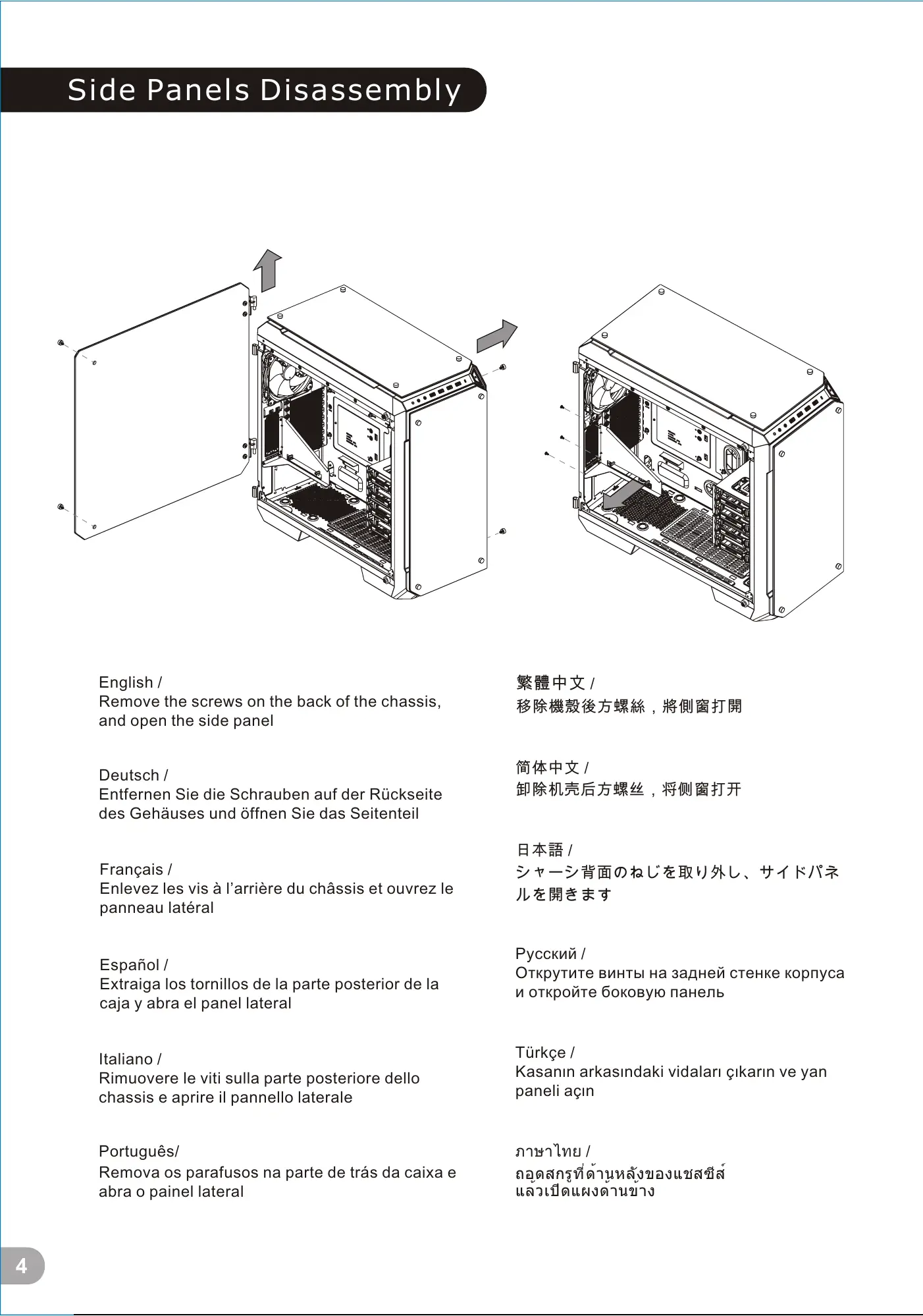
Remove the screws on the back of the chassis,
and open the side panel
Deutsch /
Entfernen Sie die Schrauben auf der Rückseite
des Gehäuses und öffnen Sie das Seitenteil
Français /
Enlevez les vis à l’arrière du châssis et ouvrez le
panneau latéral
Español /
Extraiga los tornillos de la parte posterior de la
caja y abra el panel lateral
Italiano /
Rimuovere le viti sulla parte posteriore dello
chassis e aprire il pannello laterale
Português/
Remova os parafusos na parte de trás da caixa e
abra o painel lateral
繁體中文 /
移除機殼後方螺絲,將側窗打開
日本語 /
シャーシ背面のねじを取り外し、サイドパネ
ルを開きます
Русский /
Открутите винты на задней стенке корпуса
и откройте боковую панель
简体中文 /
卸除机壳后方螺丝,将侧窗打开
Türkçe /
Kasanın arkasındaki vidaları çıkarın ve yan
paneli açın
ภาษาไทย /
ถอดสกรูที่ด้านหลังของแชสซีส์
แล้วเปิดแผงด้านข้าง
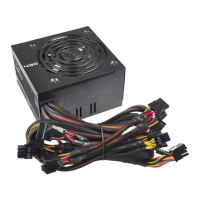
Power Supply Unit (PSU) Installation
English /
Deutsch /
Français /
Placez l’alimentation dans la position appropriée.
Español /
Instale la PSU en la ubicación correcta.
Italiano /
繁體中文 /
简体中文 /
日本語 /
Русский /
Установите блок питания в надлежащее место.
Türkçe /
Place the PSU in proper location.
Platzieren Sie das Netzteil in der richtigen Position.
Posizionare la PSU in modo corretto.
Português/
Coloque o PSU na sua devida posição.
將電源供應器放在正確的位置
将电源供应器放在正确的位置
PSUを適切なロケーションに取り付けます。
PSU’yu, uygun konuma yerleştirin.
ภาษาไทย /
วาง PSU ในตำแหน่งที่เหมาะสม
4
5
藍色線條為尺寸標示,請勿印刷上去!
產品料號
CA-1I7-00F1WN-00 View 71 TG
說明書
17/10/25
A
產品名稱
印刷項目
發稿日期
版本
騎馬釘24 105G
雙銅
單色 無無
其他特殊處理效果表面處理
2
厚度(g/m )
裝訂方式 材質頁數 印刷色彩
規格樣式
整本
CHECK DESIGN
Poki
(17/10/25)
Averson
(17/10/25)
刀模線
125 mm
176 mm
6 / 14 5 / 12 6 / 14







 To Next Page