
 Need help?
Do you have a question about the Thermaltake V100 and is the answer not in the manual?
Details the technical specifications of the computer case, including dimensions, material, and cooling support.
Lists the included accessories and their quantities, such as screws, stand-offs, and ties for installation.
Provides important warnings and notices regarding CPU cooler height and VGA card length limitations.
Explains how to remove the side panels of the computer chassis to access internal components.
Guides users on the proper placement and securing of the power supply unit (PSU) within the chassis.
Provides instructions for installing the motherboard correctly in its designated location within the case.
Details the process for installing 3.5-inch and 2.5-inch hard disk drives (HDDs) into the chassis.
Explains how to install 5.25-inch devices, such as optical drives, into the drive bays.
Illustrates how to install PCI expansion cards into the appropriate slots on the motherboard.
Provides guidance on installing fans for air cooling of internal components.
Guides the connection of case LEDs and switch leads to the motherboard's front panel header.
Explains how to connect USB 2.0 devices to the motherboard's USB 2.0 header.
Details the connection of USB 3.0 devices, ensuring motherboard compatibility and proper port connection.
Provides instructions for connecting audio devices and headers, specifying AC'97 or HD Audio compatibility.
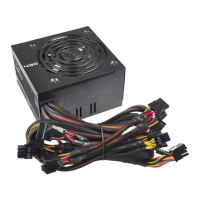
Presents optional Thermaltake power supply units, highlighting quality and environmental features.
 General
| Form Factor | Mid Tower |
|---|---|
| Motherboard Support | ATX, Micro-ATX, Mini-ITX |
| Expansion Slots | 7 |
| Maximum GPU Length | 320 mm |
| Maximum CPU Cooler Height | 160 mm |
| Color | Black |
| Material | SPCC |
| Drive Bays | 2 x 2.5", 2 x 3.5" |
| Front I/O Ports | 1 x USB 3.0, 2 x USB 2.0 |
| Pre-installed Fans | 1 x 120 mm Rear |
| Side Panel | Transparent Acrylic |
| PSU | Standard PS2 (not included) |
| Fan Support | Front: 3 x 120 mm or 2 x 140 mm, Top: 2 x 120 mm, Rear: 1 x 120 mm |
| Radiator Support | Front: 1 x 240mm, Rear: 1 x 120mm |





 To Next Page