TriPac HMI Controller Description and Operation
30
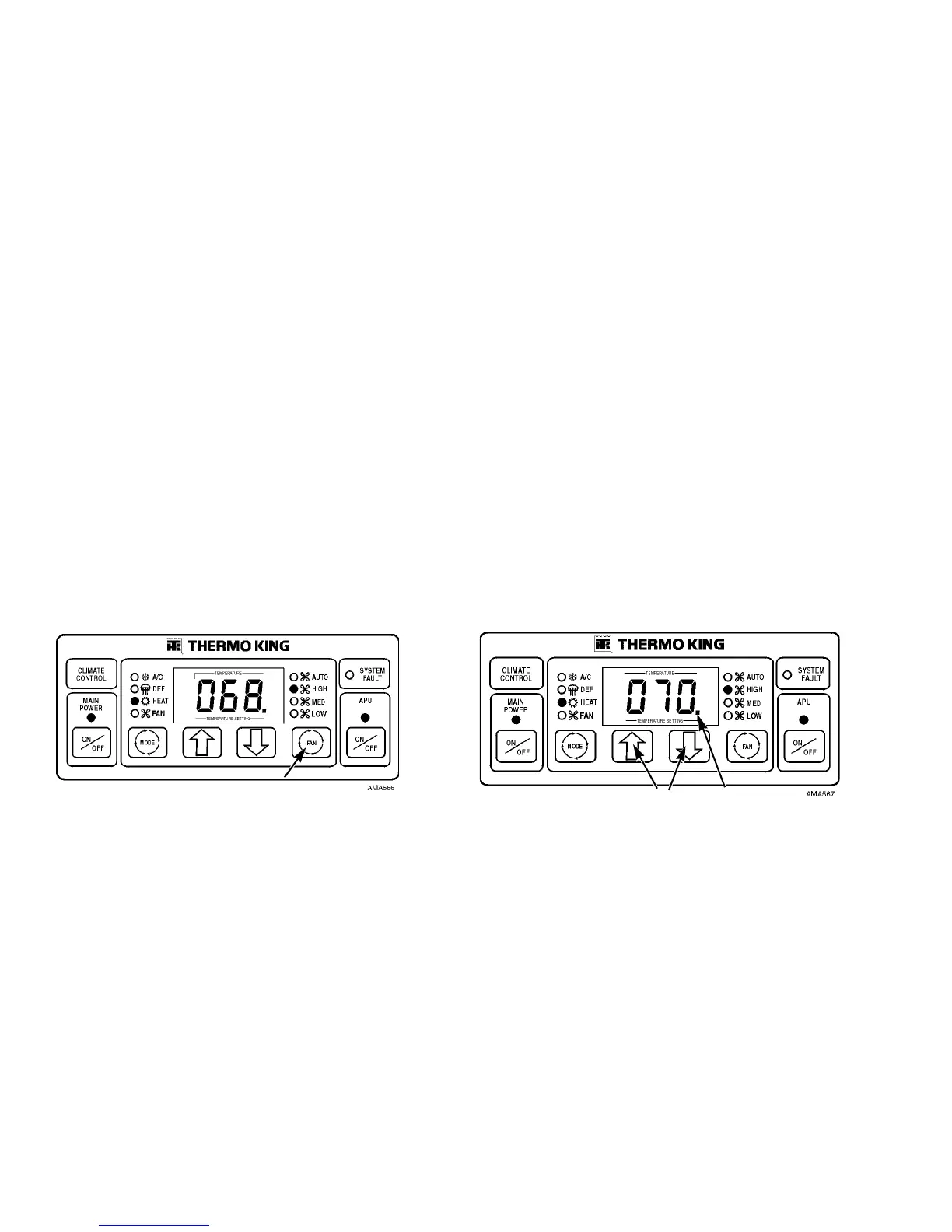
Select Fan Speed
5. Press the HMI Fan Speed Key to select the desired fan
speed. Select High, Medium or Low speed. When the
TriPac is first started, the HMI Controller will default to
the previous setting. The fan speed selected will be
indicated by an illuminated LED. (Auto fan speed is not
currently used.)
The TriPac heater will operate while the Fans are off (no
fan LED is illuminated – fan is in “Null”). If additional air
circulation in the truck cab sleeper compartment is
desired, the fans may be turned on by enabling the APU.
Figure 18: Fan Speed Key
Select Temperature Setpoint
6. Press the HMI Up or Down Keys to raise or lower the
temperature setpoint. Each time an Up or Down Key is
pressed, the display will increment up or down by one
degree. If a key is pressed continuously, the display will
scroll up or down. The setpoint will be changed to the
value shown in the display. The HMI setpoint temperature
minimum is 50 degrees and the maximum is 90 degrees.
7. The lower right LED in the HMI Display indicates that the
sleeper compartment temperature setpoint is displayed..
Figure 19: Up and Down Keys
5
6
7



 To Next Page