EasyManua.ls Logo

Thermo Scientific Invitrogen E-Gel G8100 - User Manual

Thermo Scientific Invitrogen E-Gel G8100
59 pages
Print Icon
To Next Page IconTo Next Page
Loading...
E-Gel
Power Snap Electrophoresis System
USER GUIDE
E-Gel
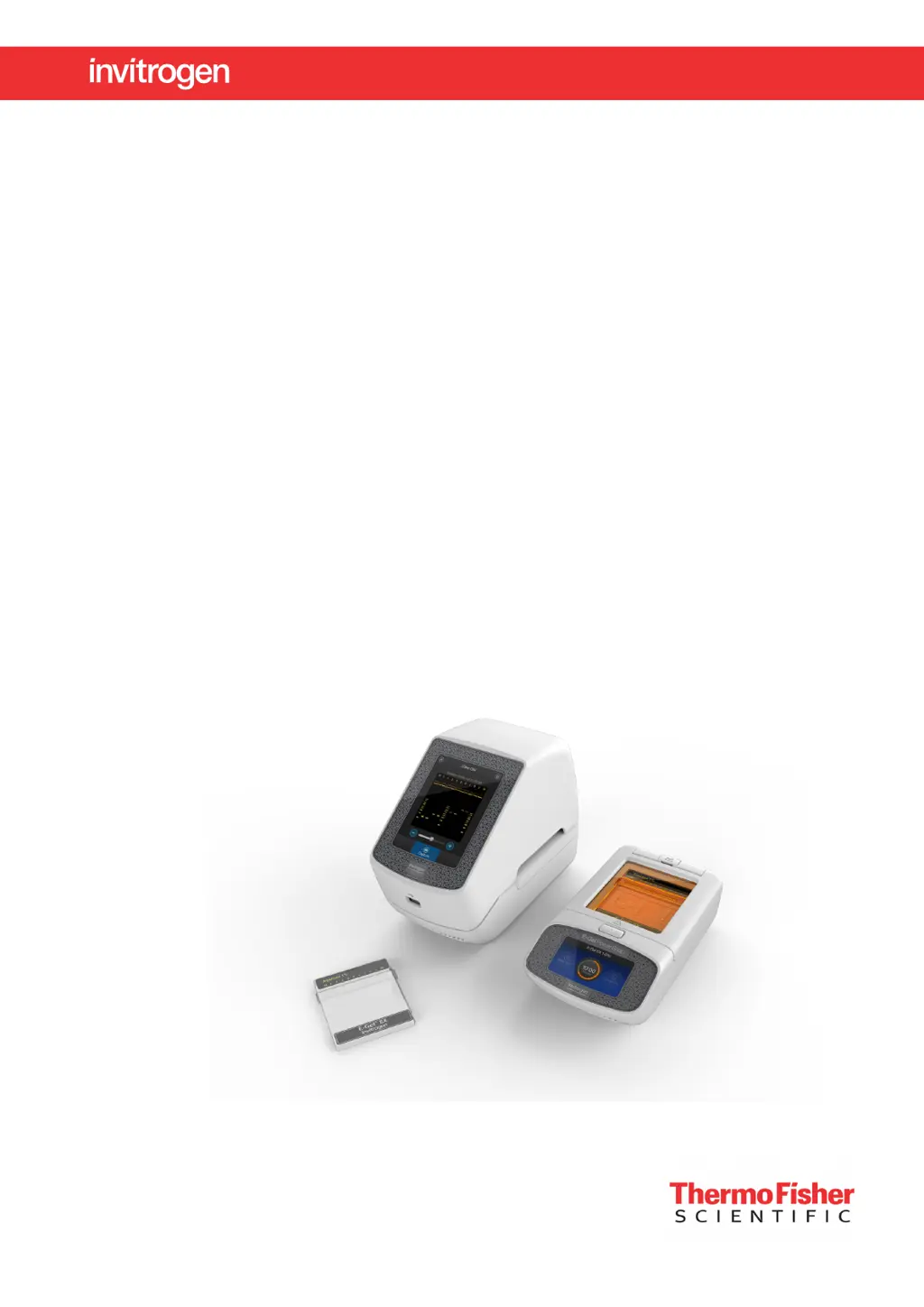
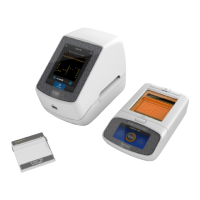
Power Snap Electrophoresis Device and E-Gel
Power Snap Camera
For use with E-Gel
, E-Gel
EX, E-Gel
Go!, CloneWell
, and
SizeSelect
agarose gels
Catalog Numbers G8100, G8200, G8300, G8141ST, G8142ST, G8151ST, G8152ST, G8168ST,
G8162ST, G8341ST, G8342ST, G8351ST, G8352ST and A33811
Publication Number MAN0017050
Revision B.0
For Research Use Only. Not for use in diagnostic procedures.

Table of Contents

Questions and Answers

  • B
    Billy HerreraAug 4, 2025
    Why do I see poor resolution or smearing of bands with Thermo Scientific Laboratory Equipment?
    • W
      William LewisAug 5, 2025
      Poor resolution or smearing of bands can occur for several reasons. It may be due to sample overload (do not load more than 800 ng of DNA in a single lane), high salt concentration (dilute your samples 2- to 30-fold), incorrect sample volume (load the recommended 25 ?L per lane), improper well preparation (fill all gel wells with 50 ?L of deionized water before loading), or incorrect sample preparation (prepare up to 25 ?L of sample in 1X concentration of 10X Sample Loading Buffer).
  • R
    Robert ThomasAug 10, 2025
    What to do if I see DNA migration exhibits smiley effect with Thermo Scientific Invitrogen E-Gel G8100 Laboratory Equipment?
    • J
      Julia MathisAug 10, 2025
      If you observe a smiley effect during DNA migration, it could be due to running the gel for too long, using aged gels, or incorrect loading conditions. To resolve this, do not run gels for more than 40 minutes, use a fresh gel, and adhere to the recommended sample loading procedures.
  • J
    Jorge BentonAug 17, 2025
    What to do if I see low yield using Thermo Scientific Laboratory Equipment?
    • C
      Carrie RobinsonAug 17, 2025
      A low yield may be caused by several factors. Ensure you are loading the correct volume (up to 25 ?L of prepared sample per well). Also, make sure the recovery wells were filled with water prior to elution (pause the run and fill all recover wells with deionized water once the target fragment reaches the reference line). Additionally, be careful not to let the DNA band pass the recovery gel (observe band migration carefully, minimize ambient light or work in a dark room) and ensure the DNA band amount is not too high (collect DNA from the well in two or more fractions and load the recommended DNA amount).
  • D
    David SmithAug 22, 2025
    What to do if the DNA band passed the recovery gel in Thermo Scientific Invitrogen E-Gel G8100 Laboratory Equipment?
    • A
      Amanda HernandezAug 22, 2025
      If the DNA band has passed the recovery gel, it might be because the selected protocol time was too long. Try using the Reverse E-Gel program to run the band backwards into the collection well.
  • S
    sphillipsAug 28, 2025
    Why can't I see the target DNA band with Thermo Scientific Invitrogen E-Gel G8100?
    • F
      fchoiAug 28, 2025
      If you cannot see the target DNA band, it may be due to high ambient light or a low sample amount. Try to minimize ambient lights by performing the workflow in a dark room environment and confirm the sample concentration prior to loading.

Summary

About this guide

Purpose of the Guide

This user guide contains detailed information about usage of the E-Gel Power Snap Electrophoresis System and E-Gel pre-cast agarose gels.

Safety Information

Information about ethidium bromide, protective clothing, and handling of gels.

Product Information

Product Description

Details the system's components, capabilities, and unique features for DNA electrophoresis.

Features and Throughput

Describes the system's throughput with various gels and lists its core components.

System Components

Lists the main components of the E-Gel Power Snap Electrophoresis System.

Kit Contents and Storage

Receiving and Storing the Instrument

Guidelines for storing the electrophoresis device and E-Gel agarose gels.

Product Part Identification

Front View Illustration

Illustrates and labels the front view of the E-Gel Power Snap Camera and Device.

E-Gel Power Snap Electrophoresis Device Parts

E-Gel Power Snap Camera Parts

User Interface Controls

Electrophoresis Device Controls

Describes controls for the electrophoresis device, such as Set up run, Status dial, and Back light.

Camera Controls

Describes controls for the camera, such as View Gel, Gallery, Capture, and Settings.

Using the E-Gel Power Snap Device

Required Materials

Lists materials needed for electrophoresis and gel documentation.

Sample Preparation

Provides guidelines for sample preparation for optimal separation quality.

Sample Preparation Details

High Salt Sample Dilution

Explains how to dilute E-Gel EX and SYBR Safe gels sensitive to salt content.

DNA Ladder Preparation

Provides recommended volumes for various E-Gel DNA ladders based on gel type.

Gel Preparation Procedures

Standard Gel Preparation

Step-by-step instructions for preparing a standard E-Gel agarose gel.

E-Gel Go! Gel Preparation

Step-by-step instructions for preparing an E-Gel Go! Agarose Gel using an adapter.

Sample Loading Procedures

Loading Guidelines

General guidelines for loading samples into gel wells for optimal results.

Loading Process

Instructions for loading samples into the gel.

Running the Gel Protocol

Run Monitoring and Management

Checking Run Status

How to monitor the gel run status and remaining time.

Viewing Gels

How to activate the transilluminator for real-time sample monitoring.

Modifying a Run

Instructions on how to pause and resume an ongoing gel run.

Run Control Options

Canceling and Editing Runs

Steps to stop an ongoing gel run and adjust its duration.

Changing Protocols

Steps to switch to a different E-Gel protocol during or before a run.

E-Gel Power Snap Camera Usage

Camera Setup and Guidelines

Basic information about the camera's integration, compatibility, and initial setup.

Camera Settings

How to access and adjust camera settings like brightness and image type.

Camera Attachment and Removal

Attaching the Camera

Step-by-step instructions for connecting the camera to the device.

Removing the Camera

Step-by-step instructions for safely detaching the camera.

Gel Visualization and Image Capture

Viewing Gels and Adjusting Settings

How to access the view gel screen and adjust capture settings.

Capturing and Adjusting Images

Steps to capture gel images and fine-tune parameters like brightness and contrast.

Image Export and Management

Automatic Capture and Export

Setting up automatic image capture and exporting images.

E-Gel CloneWell II Gels

Advantages and Preparation

Benefits and important considerations for using E-Gel CloneWell II gels for cloning.

CloneWell II Gel Workflow

Loading, Running, and Monitoring

Instructions for loading, running, and monitoring E-Gel CloneWell II gels.

Collecting DNA Fragments and Estimating Run Time

Troubleshooting Common E-Gel Issues

E-Gel SizeSelect II Gels

Advantages and Preparation

Benefits and important considerations for using E-Gel SizeSelect II gels for NGS library selection.

SizeSelect II Gel Workflow

Loading, Running, and Monitoring

Instructions for loading, running, and monitoring E-Gel SizeSelect II gels.

Collecting DNA Fragments and Estimating Run Time

NGS Library Size Selection Reference

Quantitation of Isolated DNA

Troubleshooting Specific Problems

Appendix A: Troubleshooting

General Troubleshooting Guide

Additional troubleshooting guidance for common E-Gel issues.

Troubleshooting Visibility and Efficiency

Appendix B: Maintenance and Firmware

System Maintenance and Cleaning

Instructions for maintaining and cleaning the E-Gel Power Snap Electrophoresis System.

Firmware Update

Steps to download and install system firmware updates.

Instrument Specifications

Device and Camera Specs

Detailed specifications for the electrophoresis device and camera.

Battery Replacement

System Requirements

Electrical Requirements

Information on power supply, voltage, and current requirements.

Environmental Requirements

Specifies acceptable installation, operating, and storage conditions.

Appendix C: E-Gel Agarose Gels

E-Gel Agarose Gel Technology

Explanation of the technology behind E-Gel agarose gels.

Gel Selection Guide

Analytical Gel Selection

Guide to selecting analytical gels based on application and resolution.

Preparative Gel Selection

Guide to selecting gels for preparative applications like cloning and NGS.

Gel Cassette Handling

Opening Cassettes

General safety and procedural notes before opening E-Gel cassettes.

Using the Gel Knife

Introduction to the Gel Knife tool for opening E-Gel EX and NGS cassettes.

Cassette Opening Tools

Gel Knife Procedure

Step-by-step instructions for opening specific E-Gel cassettes using a Gel Knife.

E-Gel Opener Usage

Description and usage of the E-Gel Opener tool.

Cassette Opening and Disposal

Opening with E-Gel Opener

Step-by-step instructions for opening cassettes using the E-Gel Opener.

Gel Disposal Guidelines

Guidance on how to properly dispose of used E-Gel agarose gels.

Appendix D: DNA Ladder Selection

Choosing the Right DNA Ladder

Table to help select the appropriate DNA ladder for E-Gel agarose gels.

Appendix E: RNA Sample Analysis

Running RNA Samples

Instructions for running RNA samples under denaturing or non-denaturing conditions.

Appendix F: Imaging Systems

Blue-Light Transilluminator

Explanation of the blue-light transilluminator and its use.

Third-Party Gel Imagers

Guidance on imaging gels with external imaging devices.

Nucleic Acid Stains

SYBR Safe DNA Gel Stain

Information about SYBR Safe DNA Gel Stain, its safety features, and benefits.

SYBR Gold II Gel Stain

Appendix G: Product Kits

Instrument Starter Kits

Lists the components included in various E-Gel Power Snap Electrophoresis Device starter kits.

Starter Kit Reagent Lists

E-Gel Agarose Gel Products

Accessory Products: DNA Ladders

Accessory Items Catalog

Appendix H: Safety Precautions

General Safety Guidelines

General safety precautions and responsibilities for using the product.

Safe Operation Conditions

Conditions for safe operation, including environment and power.

Instrument Installation and EMC

Instrument Installation

Guidelines for proper installation and placement of the instrument.

EMC Standards

FCC compliance information regarding electromagnetic interference.

Electrical and Service Safety

Electrical Safety

Electrical safety precautions and warnings.

Service Operation

Requirements for service and maintenance personnel.

LED Hazard Warning

Warnings regarding potential hazards from the device's LEDs.

Explanation of Symbols and Warnings

Appendix I: Support and Warranty

Customer and Technical Support

Information on how to get customer and technical support.

Limited Product Warranty

Details regarding the product's limited warranty.

Thermo Scientific Invitrogen E-Gel G8100 Specifications

General IconGeneral
Model NumberG8100
Gel TypeAgarose
Number of Wells8
Run TimeApproximately 20 minutes
FormatPrecast Gel System
Gel Capacity1 gel
Well Capacity20 µL

Related product manuals