22
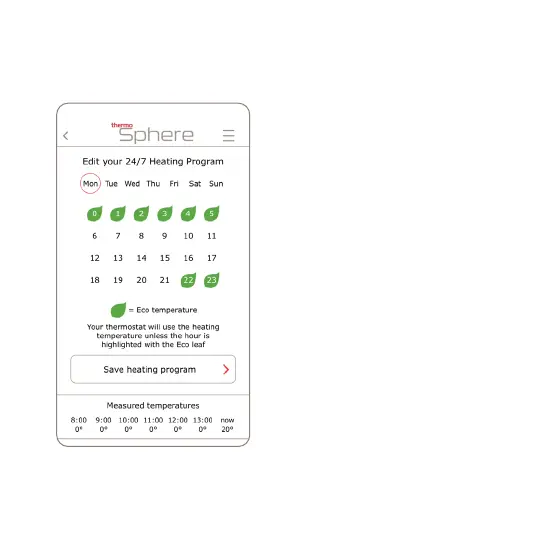
9. Tap the day you‘d like to edit and tap
each hour that you‘d like to set to the
Eco mode.
The green leaf icon means the
thermostat will maintain the Eco
temperature for that hour.
The thermostat will maintain the
Comfort temperature for the rest of
the day.
Repeat for the rest of the days of the
week.



 To Next Page