Need help?
Do you have a question about the ThermoSphere BT21 and is the answer not in the manual?
Isolate the circuit from mains power for safe installation.
Details on the maximum cable length for the thermostat and sensor.
Instructions on how to remove the thermostat's fascia plates without tools.
Diagram showing how to connect the underfloor heating, power, and sensor.
Steps to securely fix the mounting plate into the back box.
Guide to reattaching and locking the thermostat's fascia plates.
Important steps before and after powering on the thermostat and heating.
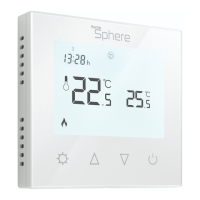
Identifies and describes the set button, dial, mode, and heating indicators.
Displays the target temperature for comfort mode.
Displays the target temperature for eco mode.
Details the actions that can be performed using the thermostat's dial.
Sets a comfortable warm temperature for the thermostat.
Sets a lower temperature for energy saving or to turn heating off.
Temporarily increases heating temperature for one hour.
Instructions on how to turn off the thermostat using the dial.
Information on selecting active sensor modes like Floor, Room, or Dual.
Access to support documentation and tutorial videos via QR code.
Returns the user to the main screen of the thermostat.
Saves current heating schedule and settings as a reusable preset.
Resets the thermostat to its original factory settings.
Restarts the thermostat's software without losing settings.
Confirms and saves changes made within the app to the thermostat.
Assigns a custom name to the thermostat for easy identification.
Applies one of the saved presets to the thermostat's configuration.
Selects between Manual or Program mode for heating control.
Sets upper and lower boundaries for air and floor temperatures.
Limits the surface temperature for electric panel heaters.
Calibrates the floor sensor reading using a thermometer.
Calibrates the air temperature reading using a thermometer.
Adjusts the brightness level of the thermostat's active screen.
Sets the lower Eco temperature used during heating programs.
Sets temperature when an external signal relay is active.
Selects from five different sensor modes for optimal heating control.
Configures the thermostat for different floor sensor resistances (2K, 10K, etc.).
Enables mesh communication between thermostats for synchronized control.
Connects compatible wireless temperature and humidity sensors.
Connects a wireless sensor by scanning its QR code.
Periodically runs heating to prevent water valves from jamming.
Prevents tampering by disabling physical controls, unlocked via app.
Sets the minimum temperature threshold to activate snow melting.
Uses relative humidity percentage with wireless sensors for control.
Maintains temperature within limits based on RH% for snow melting.
Troubleshooting steps for sensor connection or fault issues.
Fixes clock corruption by syncing with the BT21 app via Bluetooth.
 General
| Brand | ThermoSphere |
|---|---|
| Model | BT21 |
| Category | Thermostat |
| Language | English |


 To Next Page