Beforeservicingthecomputer
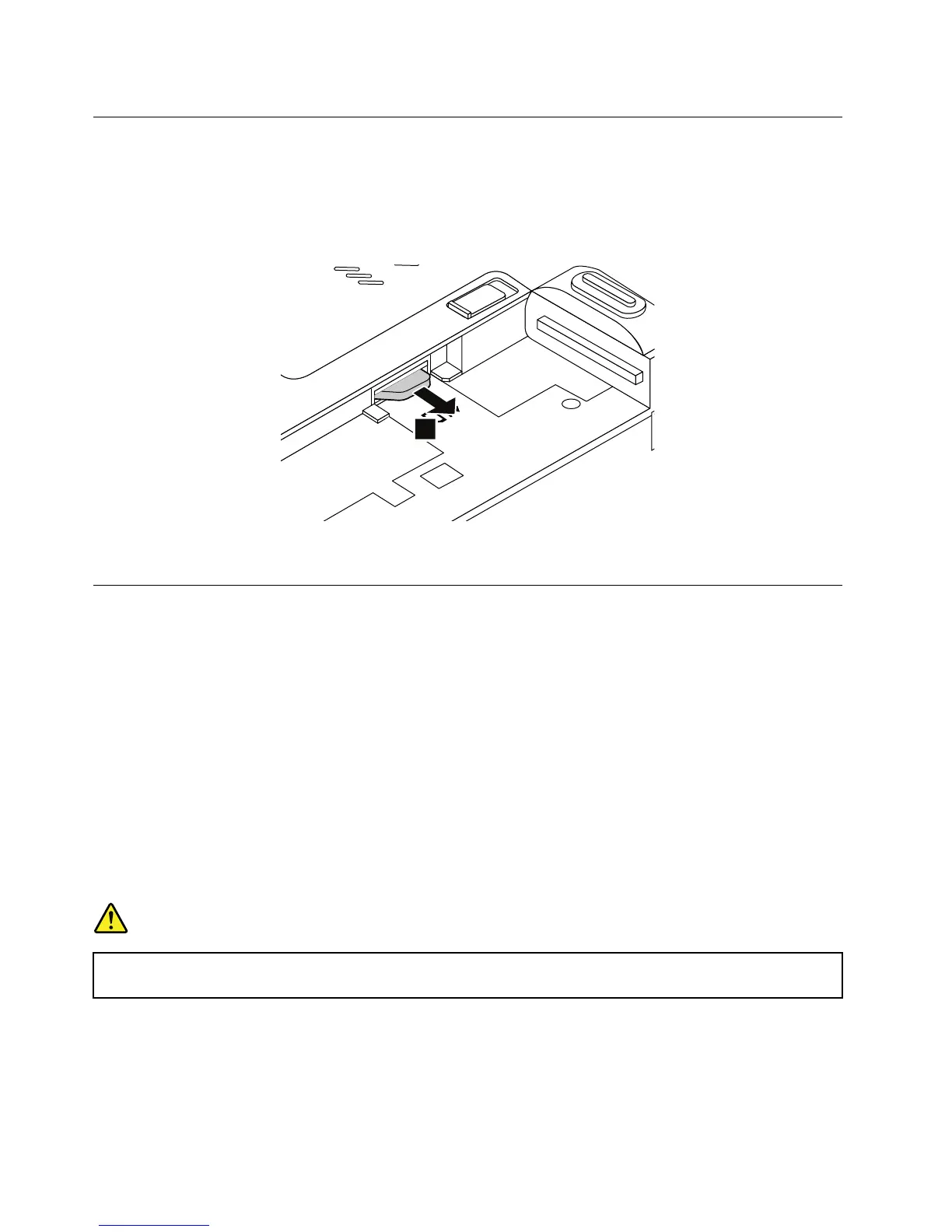
SomemodelsyouareservicingmighthaveaSIMcardthatacustomerhasinstalled.Ifthecomputeryouare
servicinghasaSIMcardinstalled,removeitbeforeyoustarttheservicing.
ToremovetheSIMcard,locatetheSIMcardslotinsidethebatterycompartment,andthengentlypull
thecardoutoftheslot.
Afteryoufinishtheservicing,ensurethatyouinstallthecardbackintotheSIM-cardslotfirmly.
1010Externalbatterypack
Importantnoticesforreplacingabatterypack
Attention:Lenovohasnoresponsibilityfortheperformanceorsafetyofunauthorizedbatteries,and
providesnowarrantiesforfailuresordamagearisingoutoftheiruse.
TheLenovoSolutionCenterprogramprovidesanautomaticbatterydiagnostictestthatdeterminesifthe
batterypackisdefective.AbatterypackFRUshouldnotbereplacedunlessthisdiagnostictestshows
thatthebatteryisdefective.Theonlyexceptiontothisisifthebatterypackisphysicallydamagedora
customerisreportingapossiblesafetyissue.
IftheLenovoSolutionCenterprogramisnotinstalledonthecomputer,thecustomershoulddownloadand
installtheprogramtodiagnosethebatterypack,beforegettinganon-physicallydamagedbatterypack
replaced.Notethatthereplacementofaphysicallydamagedbatterypackisnotcoveredbythewarranty.
Removalstepsoftheexternalbatterypack
DANGER
Useonlytheauthorizedbatteryspecifiedforyourcomputer.Anyotherbatterycouldigniteor
explode.
58HardwareMaintenanceManual



 To Next Page