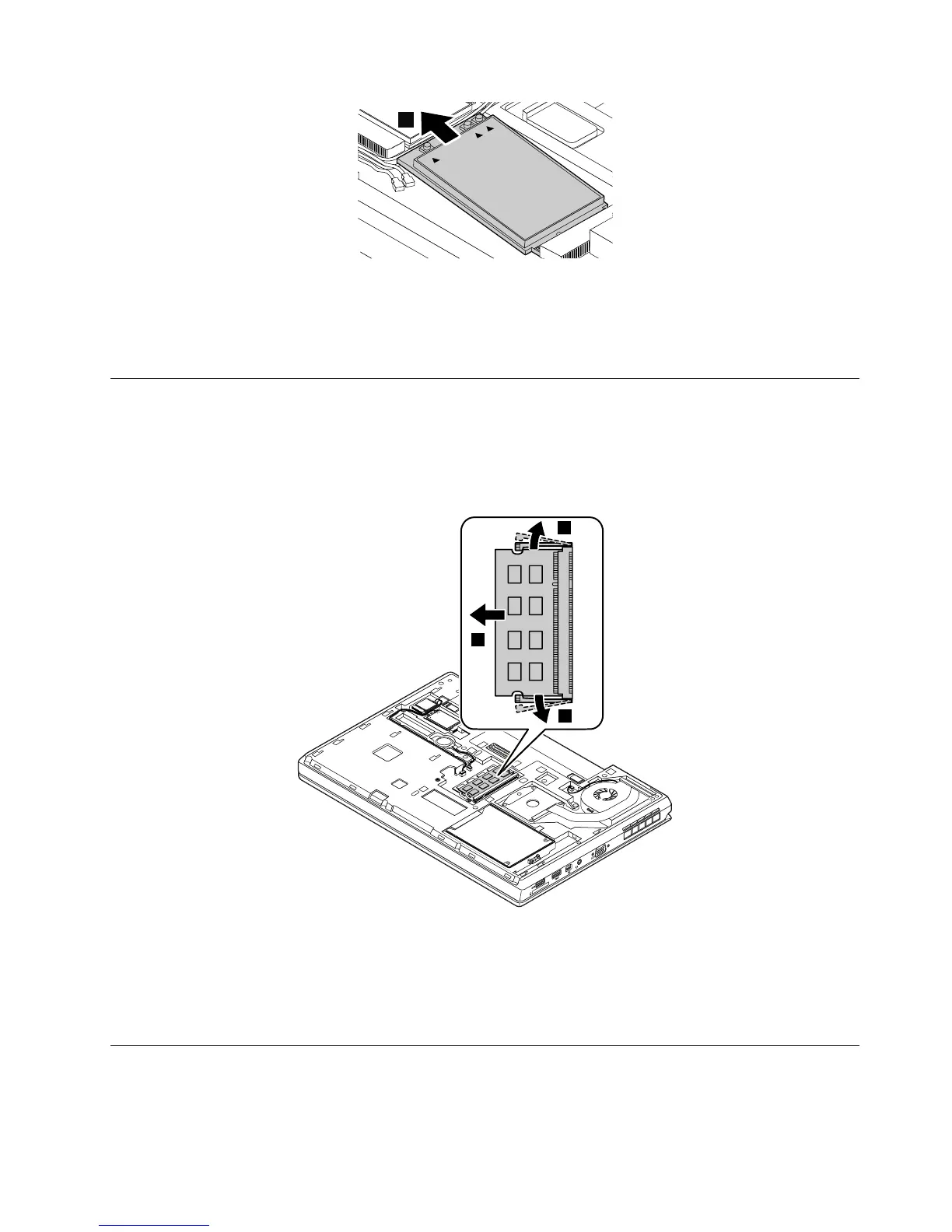
Wheninstalling:
PlugtheorangecableintotheconnectormarkedMAINonthecard;andplugthebluecableintothe
connectormarkedAUXonthecard.
1070Memorymodule
Foraccess,removetheseFRUs:
•“1010Externalbatterypack”onpage58
•“1020Bigdoor”onpage59
Removalstepsofthememorymodule
Wheninstalling:
Insertthenotchedendofthememorymoduleintothememoryslotatanangleofabout20degrees.Press
thememorymoduleinfirmly,andpivotitdownwarduntilitsnapsintoplace.Ensurethatthememory
moduleisfirmlyinstalledintheslotanddoesnotmoveeasily.
1080Coin-cellbattery
Foraccess,removetheseFRUs:
•“1010Externalbatterypack”onpage58
Chapter9.RemovingorreplacingaFRU65



 To Next Page