11
Connecting the dash cam
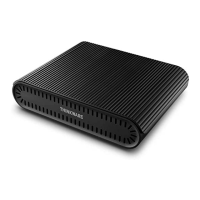
1. Connect the output cable to the dash cam’s continuous power cable.
y
Connect the B+ (yellow), GND (black), and ACC OUT (red) cables to the dash cam’s B+,
GND, and ACC cables respectively.
2. Secure the product to the driver’s seat oor using the velcro tape provided with the product.
3. Turn on the power, and ensure that the indicators are turned on for 3 seconds.
4. Start the engine and check the indicators. Charging begins when the operation indicator
ashes red for 10 seconds and remains solid.
5. Turn o the engine, and ensure that the dash cam switches to parking surveillance mode.
y
In the dash cam’s settings menu, disable the battery protection (low-voltage cutoff) feature
by setting it to OFF, or set it to the lowest voltage available.
Note
For more information, refer to “Indications for operation status” in the “Product specications” section.
BAB-50_QSG.indb 11BAB-50_QSG.indb 11 2024-03-06 오전 9:55:212024-03-06 오전 9:55:21


 To Next Page