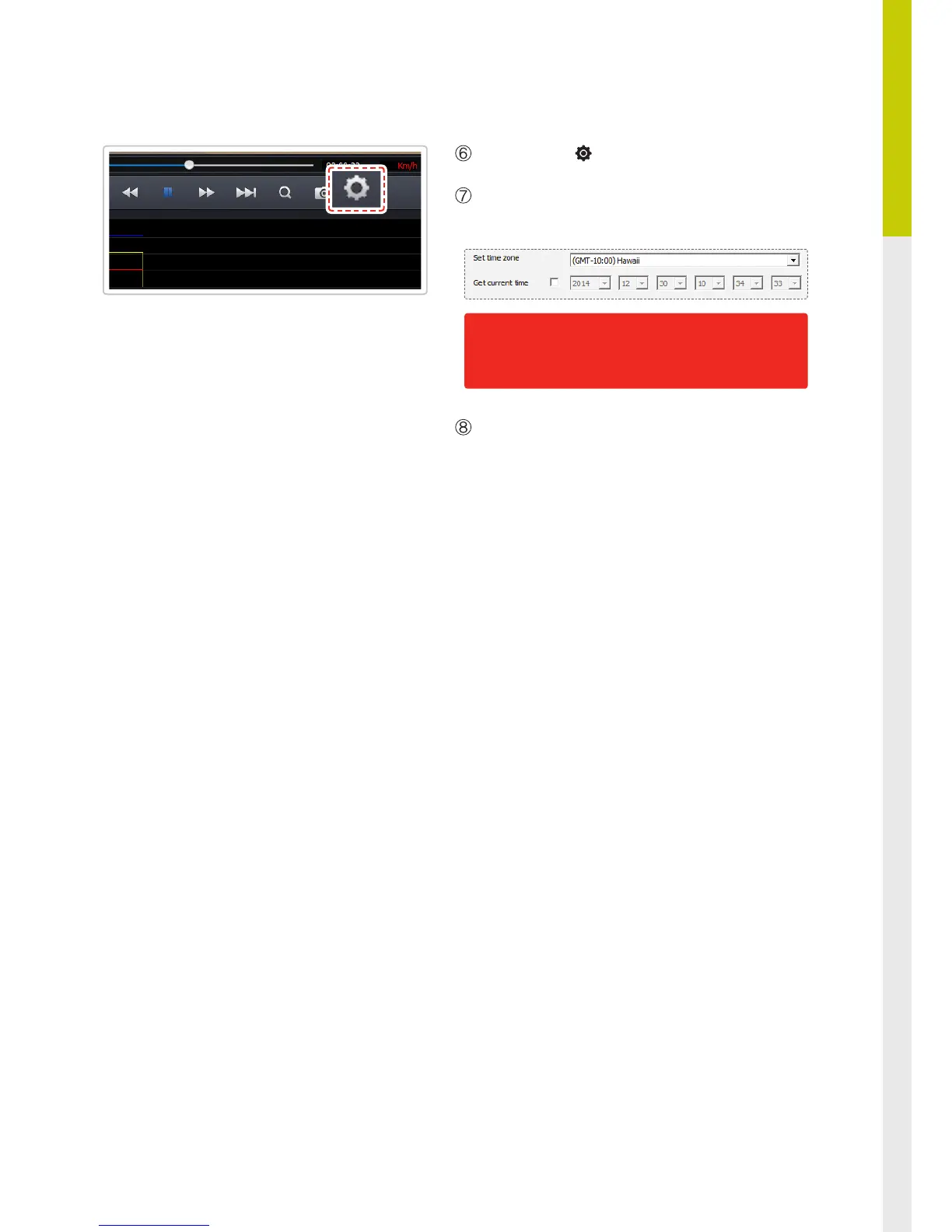
Select Setting ( ) icon from the PC Viewer.
Select Dash Cam Setting > Set time zone and Get
current time of your location.
User congured settings will be stored in the
MicroSD card. The settings will be automatically
applied to the dash cam when the MicroSD card is
inserted into the dash cam and powered on.
Once the correct time has been set, insert the Mi-
croSD card immediately back in the dashcam and
start the device to apply the changed settings.


 To Next Page