
 Need help?
Do you have a question about the Thinkware DASH CAM H50 and is the answer not in the manual?
Lists all items included in the dash cam package.
Details additional accessories available for purchase to enhance device capabilities.
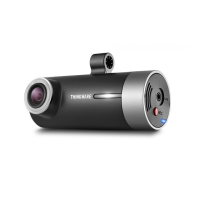
Identifies and describes the main components and ports of the dash cam.
Provides instructions on how to insert and remove the MicroSD card.
Guides the user through mounting the dash cam and connecting it to the vehicle.
Explains how the dash cam automatically powers on and off with the vehicle ignition.
Details the process for setting the correct date, time, and time zone using PC software.
Instructs how to connect the optional GPS receiver for location tracking.
Explains the proprietary file format and the need for specific software for playback.
Describes continuous recording in 1-minute segments and incident recording.
Details incident and motion detection recording modes when parked, requiring hardwiring.
Explains how to manually start recording for specific events or scenery.
Guides on how to enable or disable audio recording with the device.
Provides instructions on how to format the MicroSD card for optimal performance.
Explains the process of updating the dash cam's firmware using the MicroSD card.
Introduces the PC Viewer software for playing back dash cam video files.
Details how to configure dash cam settings such as memory partition and time zone.
Lists the technical specifications of the THINKWARE DASH CAM H50.
 General
| Brand | Thinkware |
|---|---|
| Model | DASH CAM H50 |
| Category | Digital Camera |
| Language | English |

 To Next Page
