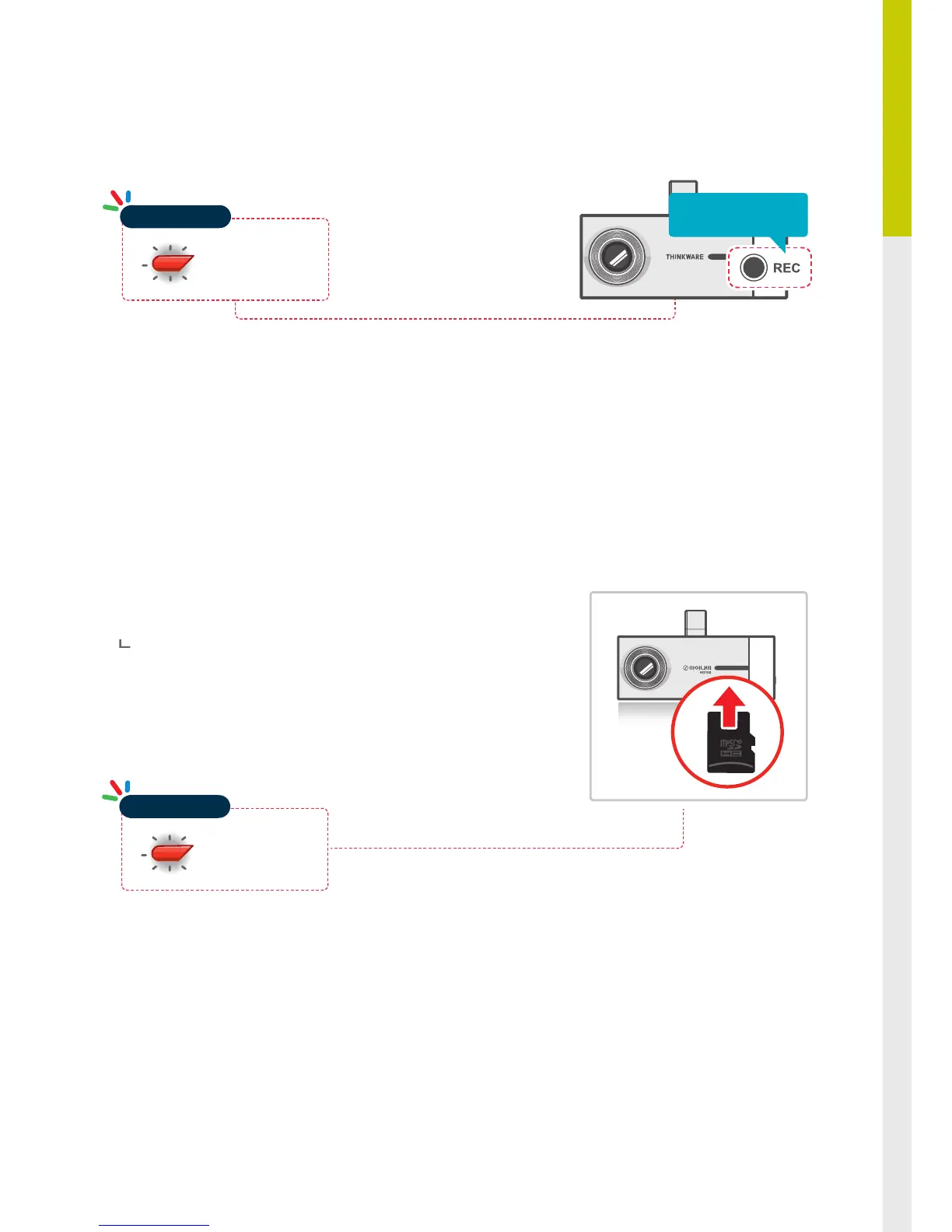
Press and hold REC button for 5 seconds to initiate memory card format
2-9. Formatting MicroSD Card
The system will automatically be updated if the MicroSD card contains
the rmware upgrade le.
The device restarts automatically after the upgrade has been com-
pleted.
Make sure your device is always up to date with latest rmware. Please
check back frequently at THINKWARE website (www.thinkware.com) for
the latest rmware updates.
2-10. Upgrading Firmware


 To Next Page