WiPro III + safe.lock Installation Manual – Fiat Ducato X250, Euro 4
4
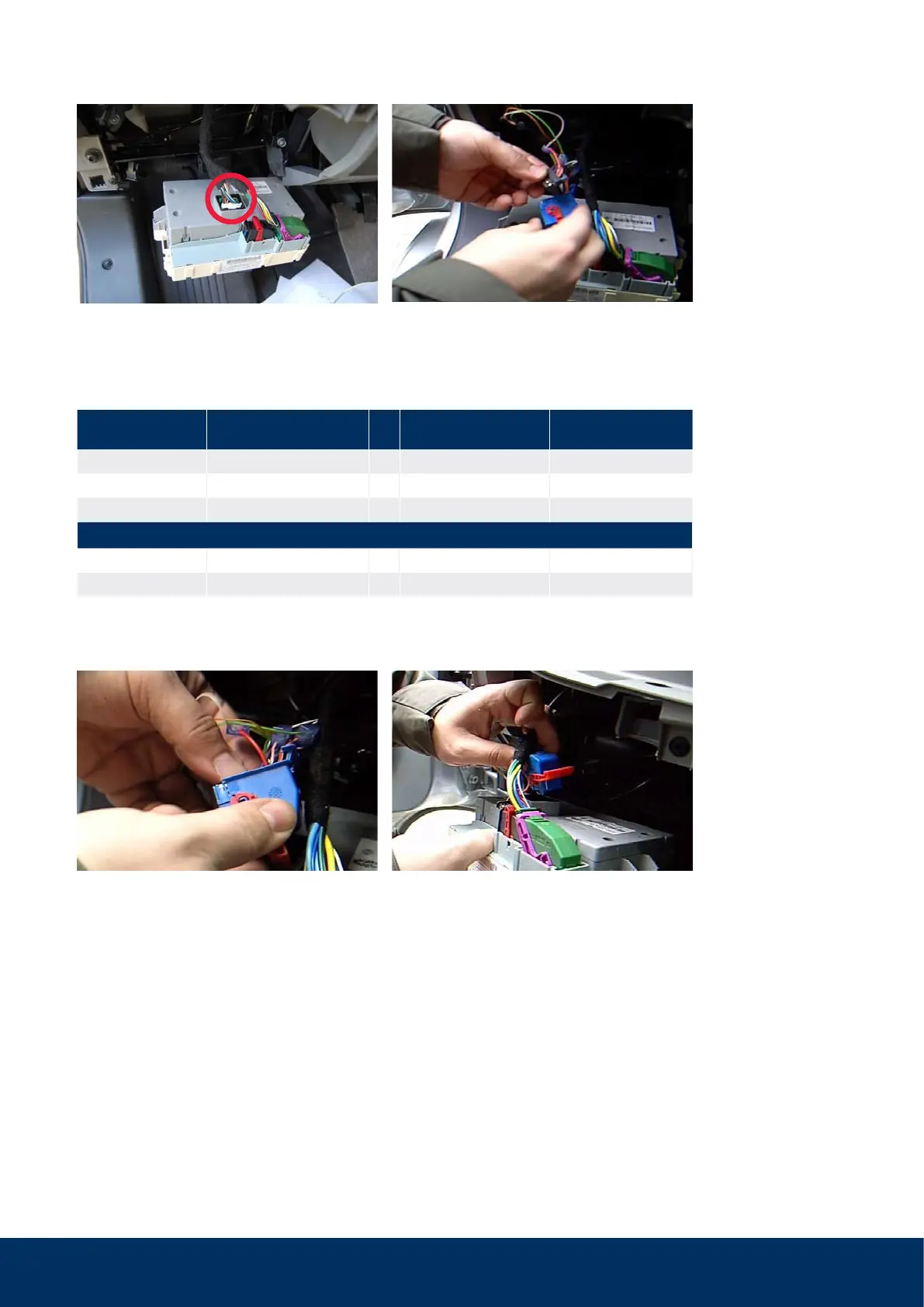
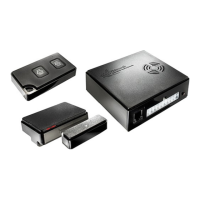
Step 4: Make CAN connection and turn signal actuation connection
Remove the blue connector on the rear side of
the on-board computer (middle).
Insert the plug inserts again; install connector.
Remove the plug inserts to access the wires.
Make connections according to the table below
with the blue gel-filled branch connectors.
Place red bracket horizontally and insert con-
nector again. The connector is secured when
the red bracket is vertical.
Pinout
and wire colour for Fiat
Cable colour on WiPro Function
White insert pin 34, pink/red → pink/red flashing warning lights
Green insert pin 5, pink/white → violet/orange CAN low
Green insert pin 6, pink/black → white/orange CAN high
or CAN from other insert
Black insert pin 25, pink/white → violet/orange CAN low
Black insert pin 24, pink/black → white/orange CAN high
Note
:
Starting in
model year 2010,
pink/black has
increasingly been
replaced by violet/
black in the Fiat.
CAN low and high must be tapped from the same plug insert!



 To Next Page