8.3 System menu
Press [MENU] to enter the system settings. Use [UP] | [DOWN] to navigate and to set the
options. Press [ENTER] to enter the submenu. Press [MENU] to return to the previous menu
level and to exit the system settings.
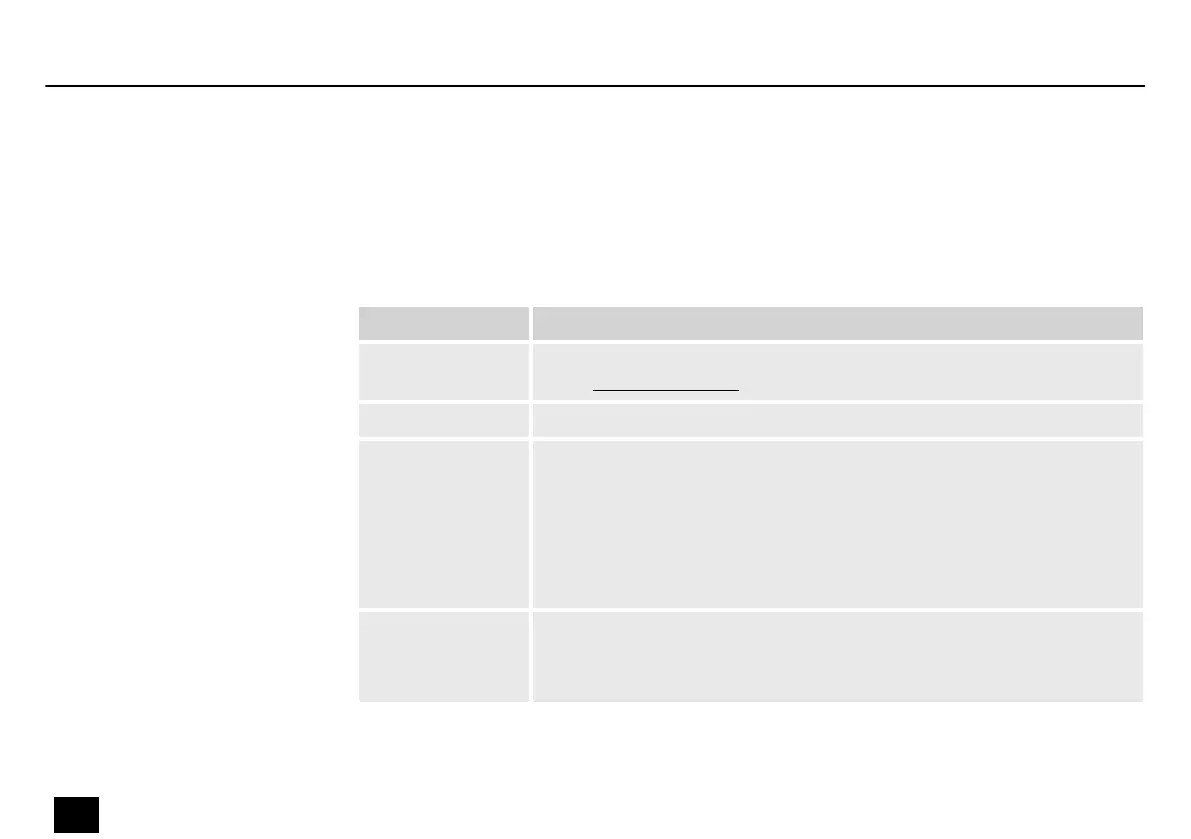
Display Function
‘New Firmware’ Function to install new rmware versions, password: 1234, download
under www.thomann.de
‘Sound Sens’ Setting the microphone sensitivity from 0 (low) to 100 (high)
‘Channel Cong’ Setting the 512 DMX channels as dimmer channel or function channel.
Dimmer channels can be adjusted with [DIMMER], [STROBE] and [FADE].
Function channels keep their set values.
Use [UP] | [DOWN] to select the DMX channel and conrm with [ENTER].
Use [UP] | [DOWN] to set the desired function and return with [ENTER] to
the channel selection or with [MENU] to the main level.
‘STROBE Merge’ The [STROBE] button can be individually assigned to an address.
Under ‘ADDR’ you can set the DMX channel and under ‘VALUE’ the
DMX value.
Operating
24
Rainbow Rider DMX
DMX controller


 To Next Page
 Loading...