Need help?
Do you have a question about the thomann BOTEX Rainbow Rider DMX and is the answer not in the manual?
Find more details and information on our website including PDF download, keyword search, online guides, consultation, and service.
Explains manual formatting: letterings in square brackets, displays in quotes, and sequential instructions with arrows.
Overview of manual symbols and signal words, detailing their meanings and associated risk levels for safety.
Device is for professional use only; highlights limitations and assumes no liability for improper operation or injury.
Critical warnings about choking hazards from small parts and packaging, emphasizing child supervision during use.
Specifies indoor use only, warns against liquids, sunlight, dirt, vibrations, and temperature fluctuations to prevent damage.
Alerts to potential dark stains on surfaces from rubber feet plasticiser; recommends using protective underlays.
Highlights 512 DMX channels, colour presets, programmes, memory locations, USB stick shows, and USB-C power supply.
Emphasizes using dedicated DMX cables and avoiding microphone cables; warns against connecting DMX to audio devices.
Instructions for connecting the device to a power source via USB-C, noting it powers on automatically upon connection.
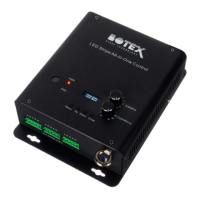
Detailed identification and function of buttons, faders, and display on the Rainbow Rider DMX control panel.
Explanation of rear panel ports: DMX OUT (XLR socket), DMX IN (XLR plug), and USB-C for power supply.
How DMX signals are transmitted, channel capacity (512), and the concept of a DMX universe.
Details serial wiring of DMX devices and the requirement for a termination resistor on the last unit in the chain.
Explains how devices convert DMX signals and the necessity of assigning a unique start address to each device.
Provides preprogrammed start addresses for colour mixtures (RGB, RGBW, etc.) and advises checking spotlight compatibility.
Guides on using STATIC COLOR, AMBIENT, and PARTY buttons for colour selection and automatic colour change programmes.
Instructions on how to adjust the overall brightness of connected lights using the [DIMMER] fader.
Details on controlling the speed of programmes and effects using the [SPEED] fader.
How to enable the strobe effect and adjust its speed using the [STROBE] fader.
Setting the fading time between steps for custom programmes created with the 'step-by-step' recording function.
Using the recorder to reassign buttons and save DMX values or programmes from external DMX controllers.
Guide to accessing and using the system menu for firmware updates, sensitivity, channel configuration, and resets.
Instructions for recording custom lighting scenes step-by-step, including saving, deleting, and overwriting.
Guide to recording lighting sequences in real-time ('REC over time'), covering start, stop, save, and overwrite procedures.
Specifies DMX as the control protocol and lists the 512 DMX channels supported by the device.
Details DMX input (XLR plug) and output (XLR socket) connections, along with USB-A for data backup.
States power supply (USB-C, 5V/1A) and physical dimensions (280x52x180 mm) of the unit.
Lists the device weight (unspecified) and operational ambient conditions (temperature, humidity).
Information on preset functions, external storage options, DMX universes, and lack of Ethernet connectivity.
Guidance on selecting appropriate cables and plugs for reliable connections, with warnings about incorrect wiring.
Details the pin configuration for DMX input (plug) and output (socket) using 3-pin XLR connectors.
Instructions for environmentally friendly disposal of packaging materials, promoting recycling over household waste.
Guidelines for disposing of the old device in compliance with WEEE directive and local waste regulations.
 General
| Type | DMX Controller |
|---|---|
| Channels | 192 |
| Effects | Built-in effects generator |
| Number of Fixtures | 12 |
| Number of Channels per Fixture | 16 |
| Number of Programmable Scenes | 240 |
| Number of Programmable Chases | 6 |
| DMX Output | XLR 3-pin |
| Display | LCD |
| Power Supply | 9-12V DC, 300mA |
| Operating Temperature | 0°C to 40°C |
| Storage Temperature | -20°C to +60°C (-4°F to 140°F) |
| Humidity | non-condensing |


 To Next Page