EasyManua.ls Logo

THOMSON CS100 - User Manual

THOMSON CS100
14 pages
Print Icon
To Next Page IconTo Next Page
Loading...
u s e r m a n u a l
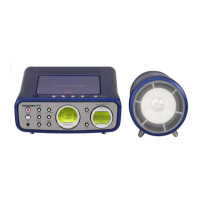
CS100
DIGITAL LOGIC DECK
O
N
E
C
O
D
IG
I
T
AL P
L
L
S
Y
N
T
H
E
S
IZ
E
D
T
U
N
E
R
M
U
L
T
I
F
U
N
C
T
I
O
N
L
C
D
D
I
S
P
L
A
Y
T
U
N
IN
G
IR
S
E
N
S
O
R
T
IM
E
R
P
L
A
Y
B
A
C
K
/
R
E
C
O
R
D
O
P
E
N
/
C
L
O
S
E
V
O
L
U
M
E
C
O
N
T
R
O
L
CD
Untitled-4 4/10/03, 1:56 PM3

Other manuals for THOMSON CS100

Questions and Answers

  • J
    justin73Aug 11, 2025
    Why is there no sound coming from my THOMSON CS100?
    • H
      heather41Aug 11, 2025
      If you're not getting any sound from your THOMSON Stereo System, there are several things to check: * First, increase the volume. * Check the speaker connections. * Ensure you've selected the correct function (CD, TAPE, Tuner). * Make sure mute is off and that headphones are not plugged in.
  • B
    Brianna SmithAug 18, 2025
    What to do if my THOMSON Stereo System will not turn on?
    • C
      Cynthia HoffmanAug 18, 2025
      If your THOMSON Stereo System isn't turning on: * Check the power cord to ensure it's securely connected. * Try unplugging the unit for a moment, then plug it back in. * Test the outlet by plugging in another device to see if it's working.
  • D
    Deanna WatsonAug 27, 2025
    What to do if my THOMSON CS100 CD does not play?
    • R
      Rachel RodriguezAug 27, 2025
      If your THOMSON Stereo System isn't playing CDs, consider the following: * Ensure the CD is in the tray with the label facing up. * Check that PAUSE mode is not on and that the CD function is selected. * Use a CD lens cleaner and clean the disc itself. * Try another disc to rule out disc issues, and inspect the disc for warping, scratches, or other damage. * Also, check if vibrations are affecting the system; if so, move the system. * Make sure the speakers are at least 3 feet away or on a different surface from the main unit.
  • M
    Martin WrightSep 1, 2025
    Why is the radio reception poor on my THOMSON CS100?
    • Y
      yhenrySep 1, 2025
      If you're experiencing poor radio reception on your THOMSON Stereo System: * Check the antenna connection. * Try moving the antenna to a different location. * Turn off nearby electrical appliances such as hair dryers, vacuum cleaners, microwaves, or fluorescent lights, as they can interfere with radio signals.

Summary

Safety Information

General Safety Warnings

Includes laser radiation, electrical shock, and environmental precautions.

UK Specific Installation Notes

Instructions for connecting the mains lead and rewiring the plug for UK users.

Getting Started

System Installation and Setup

Covers ventilation requirements, speaker connection, and antenna placement.

CD Micro System

Unit Controls and Functions

Explains the functions of buttons on the front and top of the CD Micro System.

Remote Control

Tuner

Tuning and Presetting Stations

Guides on searching, presetting, and auto-programming radio stations.

CD Player

Troubleshooting Tips

System Power and Sound Issues

Solutions for problems like system not turning on or no sound output.

Radio and CD Playback Issues

Troubleshooting poor radio reception and CD playback errors.

More Information

Safety Precautions

Important warnings regarding product operation, environment, and handling.

THOMSON CS100 Specifications

General IconGeneral
BrandTHOMSON
ModelCS100
CategoryStereo System
Speaker Configuration2.0
Playable MediaCD
Audio FormatsMP3
Output Power20W
TunerFM
Power Output20W RMS
InputsAux-in

Related product manuals