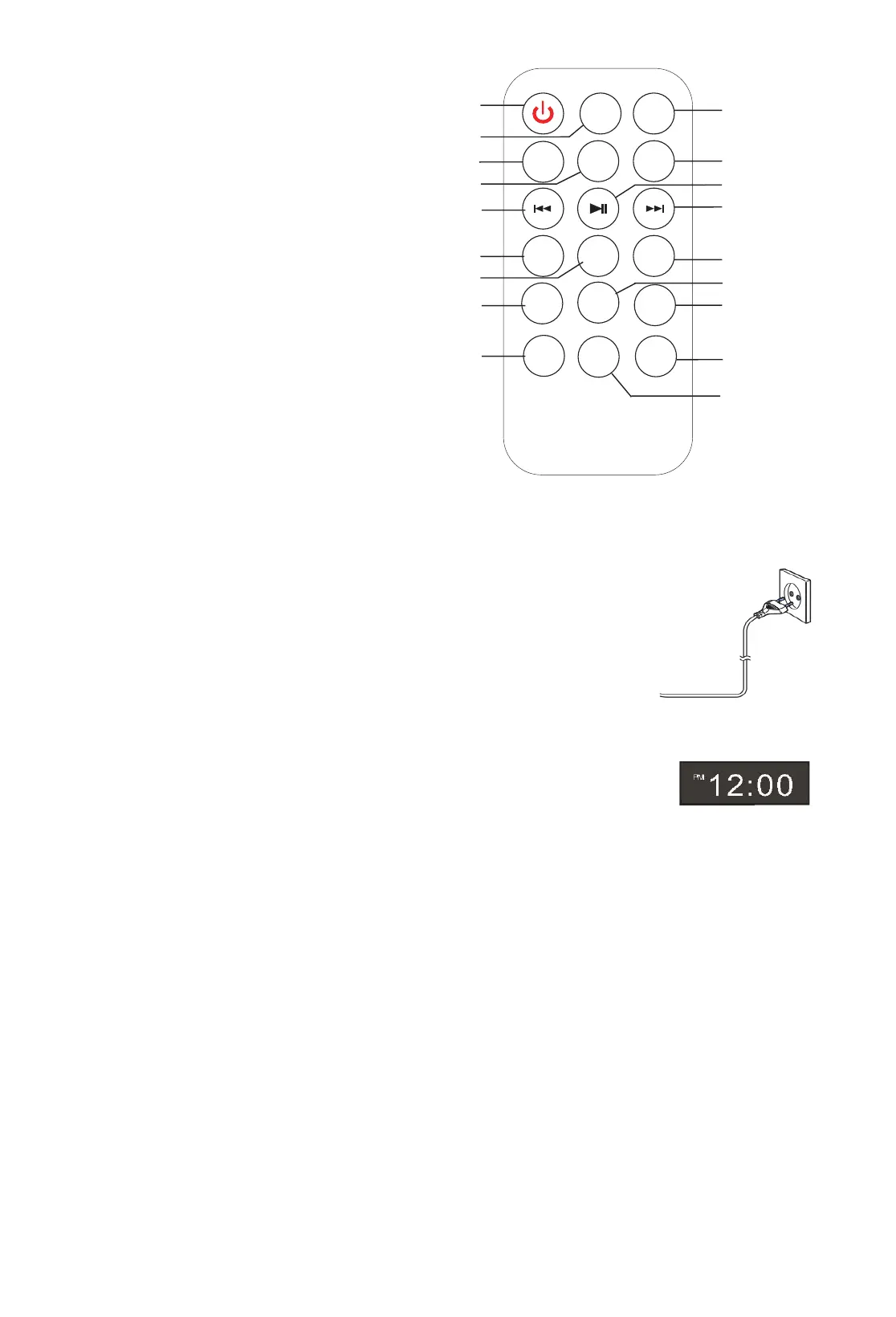
MUTE
POWER
M E M +
MEM
CLOCK
SOURCE
-
-
TREBLE
BASS
VOL
1
3
4
2
5
6
7
8
9
10
11
12
13
14
15
16
17
SLEEP
18
TIME
MEM+
MEM+
-
TREBLE
+
+
+
--
BASS
VOL
GB 4
RemoteControl
1. Power
2. Sleep
3. Mute
4. Timer
5. Clock
6. Source
7. Previous
8. Enter
9. Next
10. Memory
11. MemoryͲ
12. Memory+
13. Treble+
14. Bass+
15. Volume+
16. TrebleͲ
17. BassͲ
18. VolumeͲ
UsingtheRemoteControltheBattery
Pullthecleartabfromthebatterycompartmentatthebase(straight)endoftheremote.
Ifyourremotebecomesintermittentoryoufindyouhavetomovenearertheunitto
operate,thebatteryprobablyneedstobereplaced.Toreplacethebattery,slidethe
batteryholderfromthebase
oftheremotecontrol.Removethebatteryandreplace
with2PCS1.5vAAAbatteryensuringthe+sideisontheundersideofthe
holderasyouslideitbackintothecompartment.
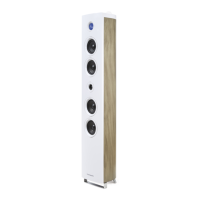
SettingupYourTower
Carefullytakethetowerbodyandbaseoutofthepackaging.Standthetowerupright
onthefloor.Theapplianceisnowreadyforuse.
Power
Placetheunitinthedesiredpositionandunravelthemainscable.Insertthecableintothesupplysocketandswitchon
ifapplicable.
SettingClock
Aftertheunitispluggedintoamainssupplyormainspowerfailure,thedisplaywillshowthe“0:00”ontheLCDdisplay.
Theunitshouldbeinstandbymodetosetthecurrentclock.
1. PressTIMERbutton,thedigitsforthedisplaywillblink.
1. 2.PressthePREVIOUS/NEXT
buttonrepeatedly
untilcorrecthourisset.PresstheTIMERtoconfirm.
2. Thehoursetting;theminutedigitsonthedisplaywillblink.
3. PressthePREVIOUS/NEXTbuttonrepeatedlyuntilcorrectminuteisset.PresstheTIMERtoconfirmthe
minutesetting.
SettingAlarm
PressandholdTIMEbuttoninshutdownstate,thedisplaywillflashON/OFFtoselectsettingalarmorcancelingalarm.
PressPREVIOUS/NEXTtoselectON,andthedisplaywillblink.
PressPREVIOUS/NEXTbuttonrepeatedlytosethour.PressTIMEtoconfirm,thenpressPREVIOUS/NEXTtosetminute.
PressTIMEtoconfirm,
andthenpressPREVIOUS/NEXTtoselectFM/Auxinstatus.PressTIMEtoconfirm.
Sleep
Mode
PresstheSLEEPbutton,thedisplaywillblink. Pressthebuttonuntilthedisplayshowstheminute youwanttoset.You
canset10to90minutes.
Itblinksthreetimestoconfirm,andthenreturntotheinterfacebefore.Ifyouwanttocancelthesleepmode,pressto
00,afterblankingthreetimes,thesleepmodewillcancel.
automatically.ItcanbeswitchedONbyusingthefunctionselectoragain.
Remark:
Inordertosaveenergywhentheunithasnosoundoutputforawhile,theunitwillbeswitchedtostandͲby


 To Next Page
 Loading...