Basic connection
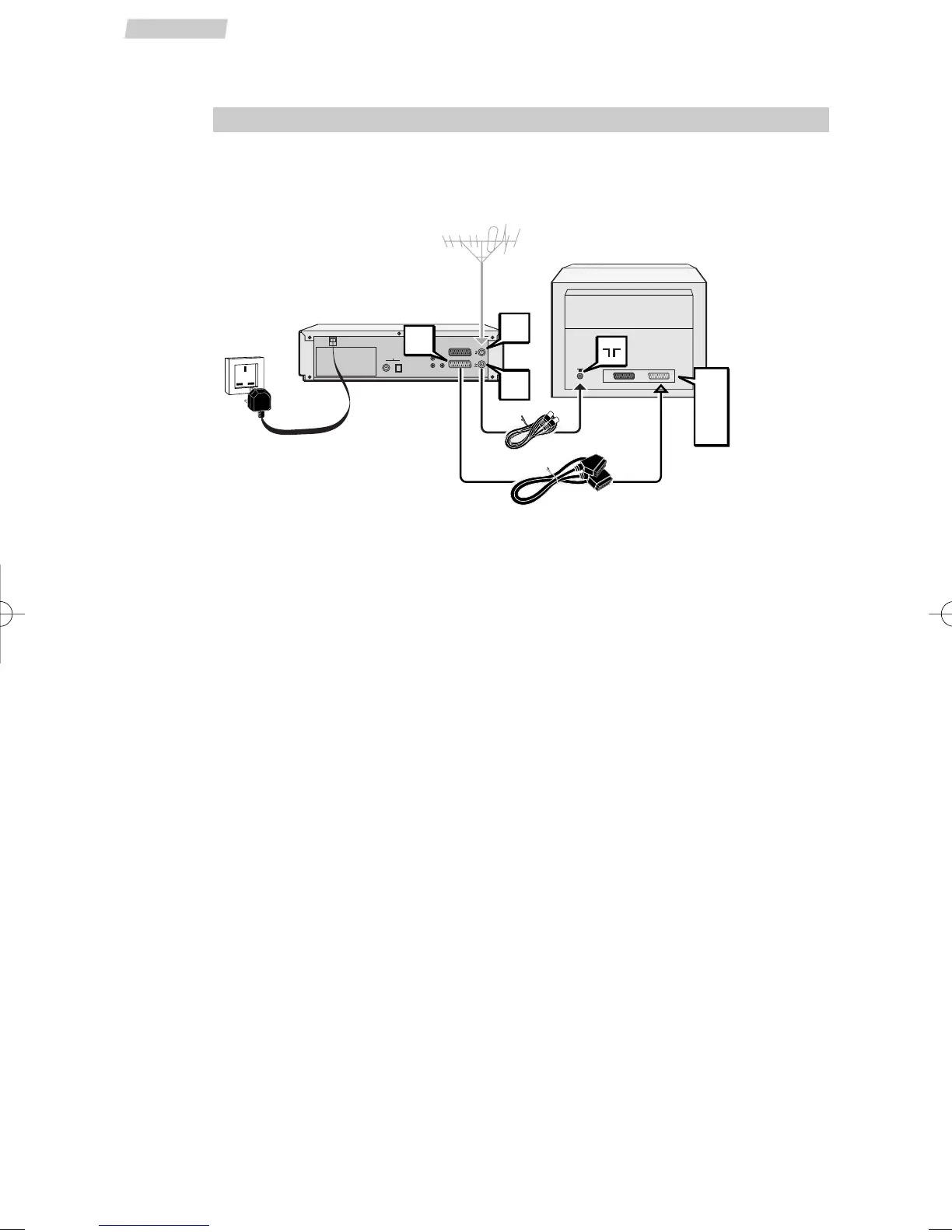
1 Disconnect the aerial cable from your TV set and reconnect it to the IN socket of
the DVD/VCR.
2 Using the coaxial cable (supplied), connect the OUT socket of the DVD/VCR to the
aerial socket g of the TV.
3 A SCART cable (supplied) connection between the appliance and your TV makes it
easier to use and improves picture and sound quality. Connect the AV1 (audio/video
1) socket of the DVD/VCR to the SCART socket of the TV (AV1, EXT1, AUX1
depending on make).
4 Using the mains lead, connect the appliance to a mains socket.
Other connection possibilities
The connections described above are for standard quality sound and high quality picture
reproduction. If your TV set does not have a SCART socket, connect the DVD/VCR to your
TV in one of the following two ways.
Video connection
Connect the
VIDEO OUT socket of the DVD/VCR to the VIDEO IN socket of the TV
set using a video cable (not supplied).
Audio connection
To obtain 6-channel multichannel sound, connect the TV set to the
DIGITAL AUDIO
OUT
coaxial socket of the DVD/VCR using a coaxial cable (not supplied), or to the
DIGITAL AUDIO OUT optical socket of the DVD/VCR using an optical cable (not
supplied).
Alternatively, you can connect the
AUDIO OUT L and R sockets of the DVD/VCR to
the
AUDIO IN L and R sockets of the TV using an audio cable (not supplied).
4
Set-up
Connections
ANT. IN
ANT. OUT


 To Next Page