EN
EN
5
Set-up
Other devices
Decoder, camcorder, satellite receiver, another DVD
player, another video recorder, etc. (AV2 socket)
Connect another device to the AV2 socket of the DVD/VCR using the SCART cable
(supplied). The pictures from the other device go through the AV1 socket of the
DVD/VCR and then on to the TV set.
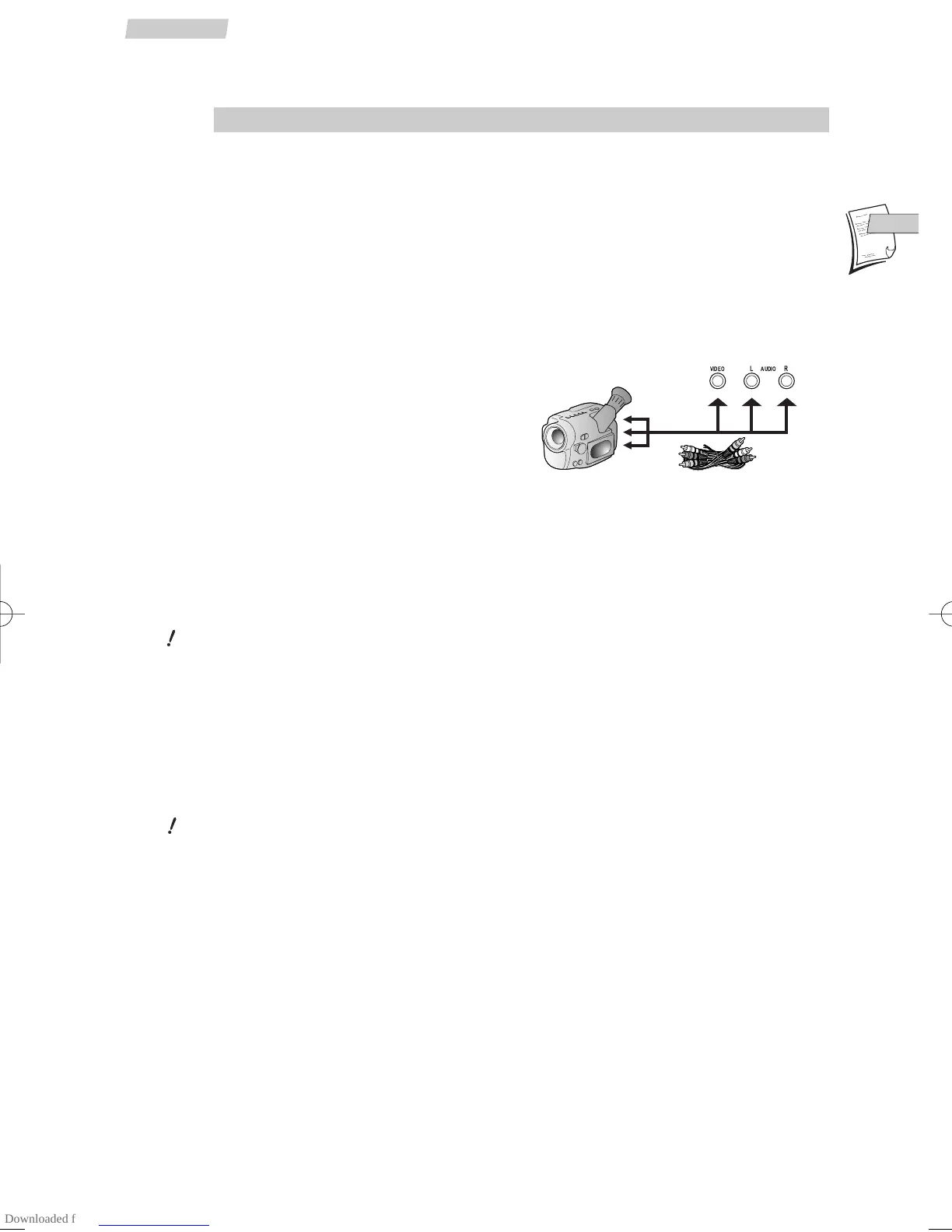
Camcorder (AV3 socket)
Connect your camcorder to the AUDIO L
(left), AUDIO R (right) and VIDEO sockets
located at the front of the DVD/VCR. Select
the AV3 input on the DVD/VCR by pressing
the AV key.
Audio/video amplifier
Video connection
Connect your audio/video amplifier to the
AV1 SCART socket of the DVD/VCR.
You can also connect it to the
VIDEO OUT socket of the DVD/VCR with a video
cable (not supplied).
You will get the best picture quality with the SCART socket.
Audio connection
For 6-channel multichannel sound, connect the amplifier to the
DIGITAL AUDIO
OUT
coaxial socket of the DVD/VCR using a coaxial cable (not supplied), or to the
DIGITAL AUDIO OUT optical socket of the DVD/VCR using an optical cable (not
supplied).
You can also connect your audio/video amplifier to the
AUDIO OUT L and R sockets
of the DVD/VCR using an audio cable (not supplied).
You will get the best sound quality with a connection via the DIGITAL AUDIO OUT
socket.
Stereo HiFi system
Connect your HiFi system to the DIGITAL AUDIO OUT socket of the DVD/VCR, or to the
DIGITAL AUDIO OUT optical socket of the DVD/VCR, or to the AUDIO OUT L and R
sockets of the DVD/VCR.


 To Next Page