8
Set-up
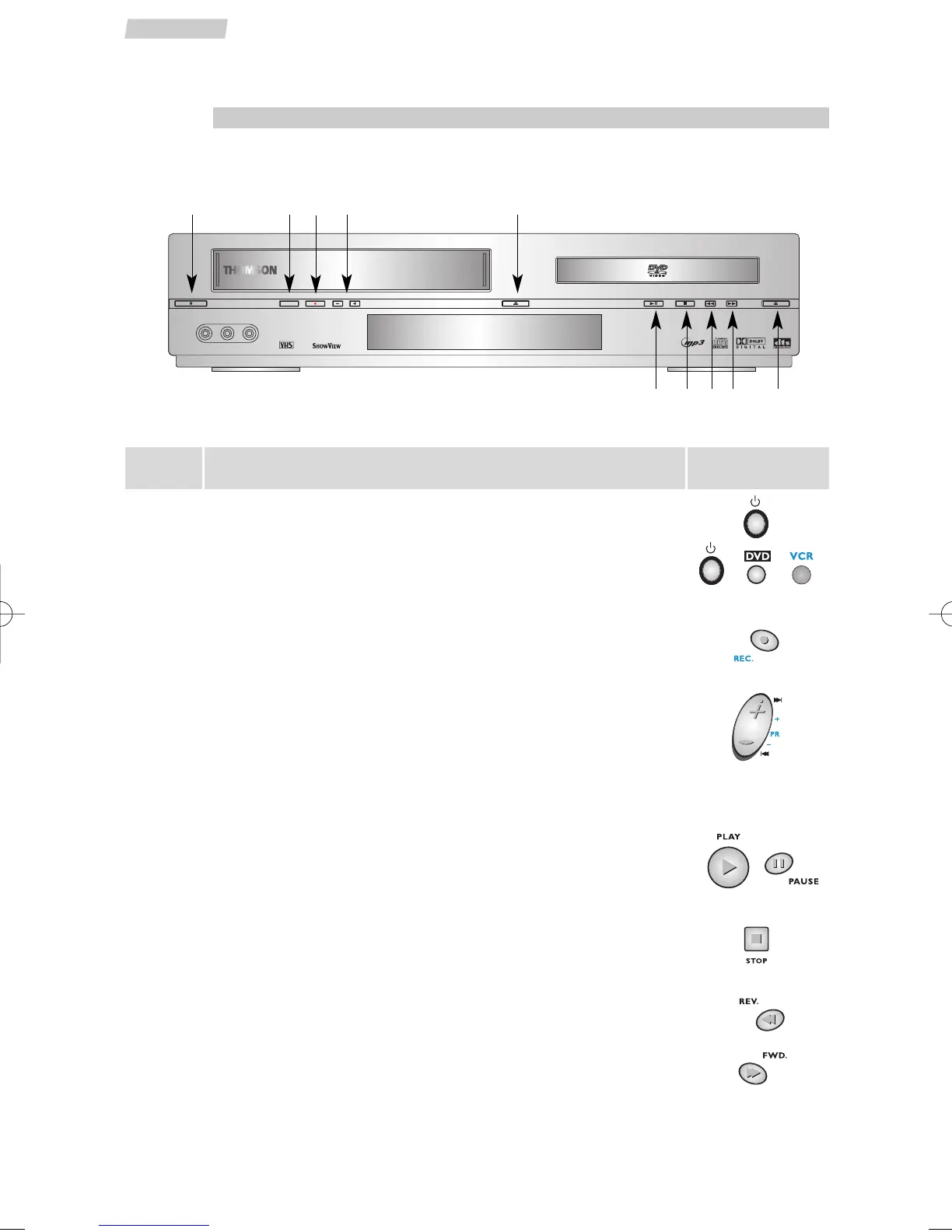
Front panel controls
1 Switch the appliance on and off.
2 Switch the appliance on, and change from DVD mode to
VCR mode and vice versa.
3 Start recording in VCR mode.
4 Start a fast forward or reverse search for a chapter, track
or index in DVD mode; change channel in VCR mode.
5 Eject the cassette from the video recorder.
6 Start playing a disc (DVD mode) or a tape (VCR mode) or
go into pause.
7 Stop playback of a disc (DVD mode) or a tape (VCR mode).
8 Fast reverse.
9 Fast forward.
0 Open and close the disc tray of the DVD player.
2
4
3
5
6
7
8
9
0
1
The appliance has some of the remote control functions on its front panel.
Ref. on the Function Remote
diagram control key


 To Next Page