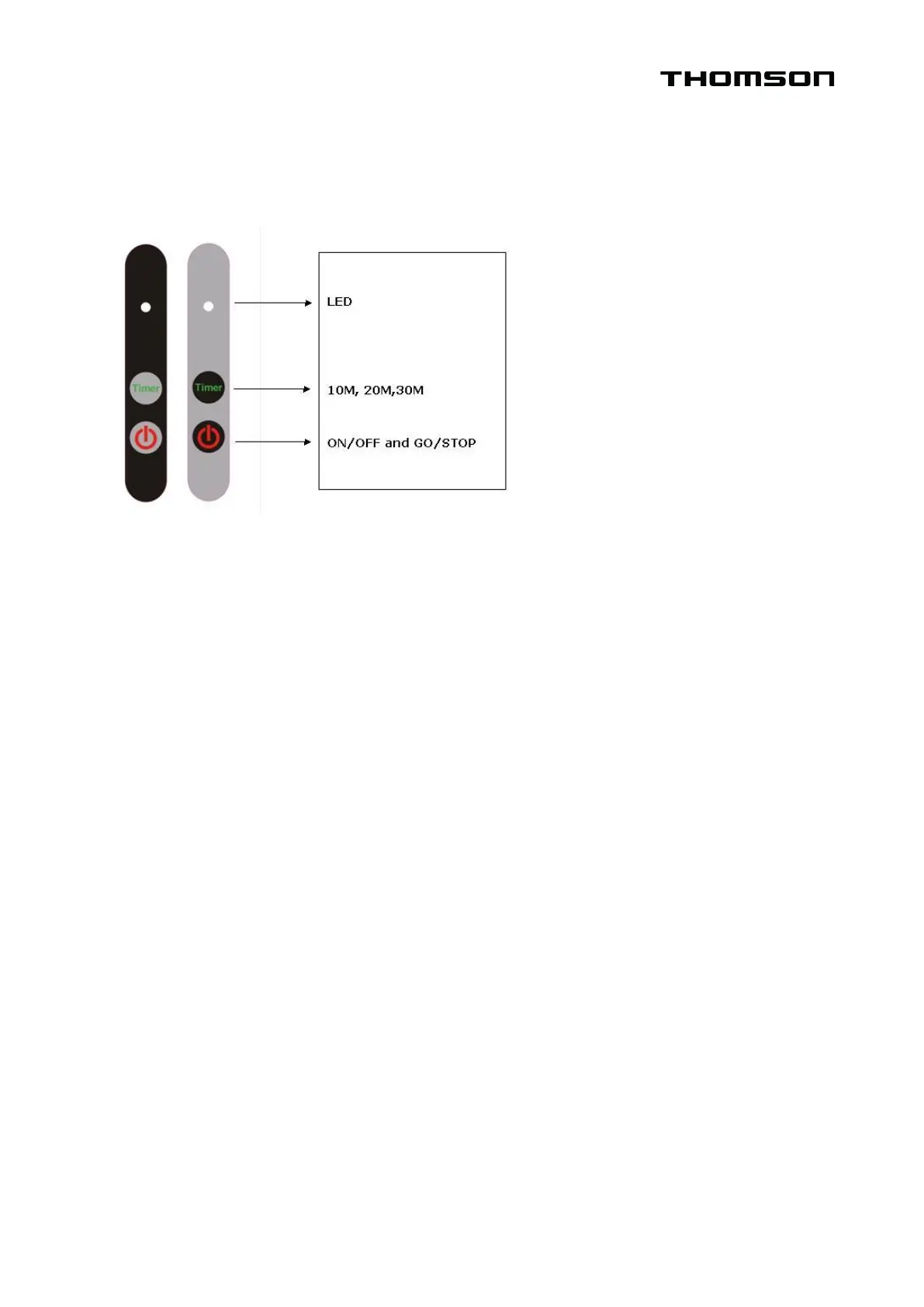
Press once.
•
The golf buggy will automatically move forward by 10m and will stop by itself afterwards.
Press twice.
•
The golf buggy will automatically move forward by 20m and will stop by itself afterwards.
Press thrice.
•
The golf buggy will automatically move forward by 30m and will stop by itself afterwards.
*To add another 10m, just press the timer once again while it is operational.
ON/OFF button
•
Controls the golf buggy’s power supply. Press for about 2 seconds to switch the golf
buggy ON or OFF.
Go/Stop button
•
Press this button while the golf buggy is operational, and it will stop. Press this button
while the golf buggy is turned OFF, and it will start-up.
Timer and Go/Stop button
•
When the golf buggy goes through different speed levels, the Timer function is
automatically activated. If the Go/Stop button is pressed, the Timer function will
immediately be cancelled and the digital display will revert back to the previously set
speed level. Pressing the Go/Stop button again will return to the previously set speed
setting.


 To Next Page