EN - 39
mythomson.com
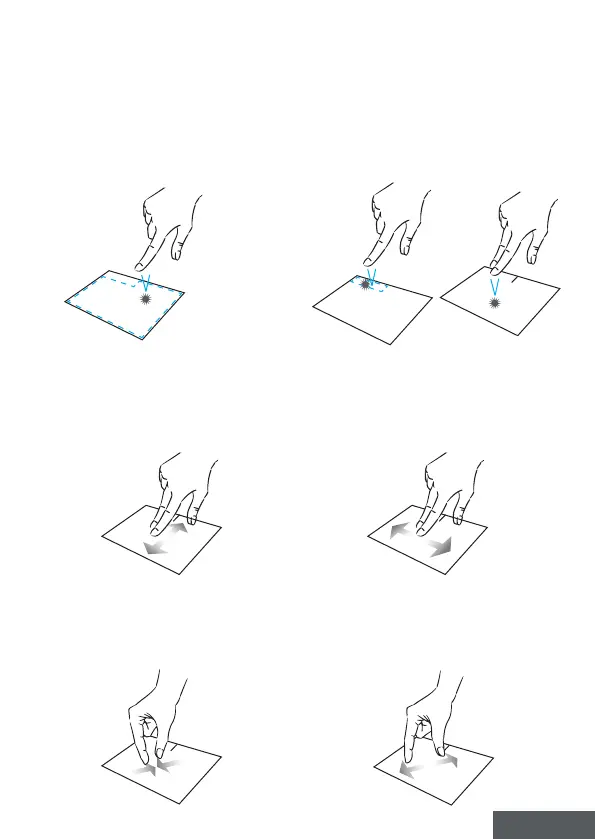
Left click
Briey press the touchpad once to
make a left click.
Right click
Press briey once at the bottom right
of the touchpad to make a right click
or press briey with two ngers on
the touchpad.
Scrolling
Slide two ngers up or down to scroll
vertically.
Slide two ngers left or right to scroll
horizontally.
Zoom
Move two ngers closer to the
touchpad area to zoom out (zoom -).
Move two ngers away from the
touchpad area to zoom in (zoom +).



 To Next Page