38 - EN
User’s Manual - Hero - 10.1’’
mythomson.com
- Using the touchpad -
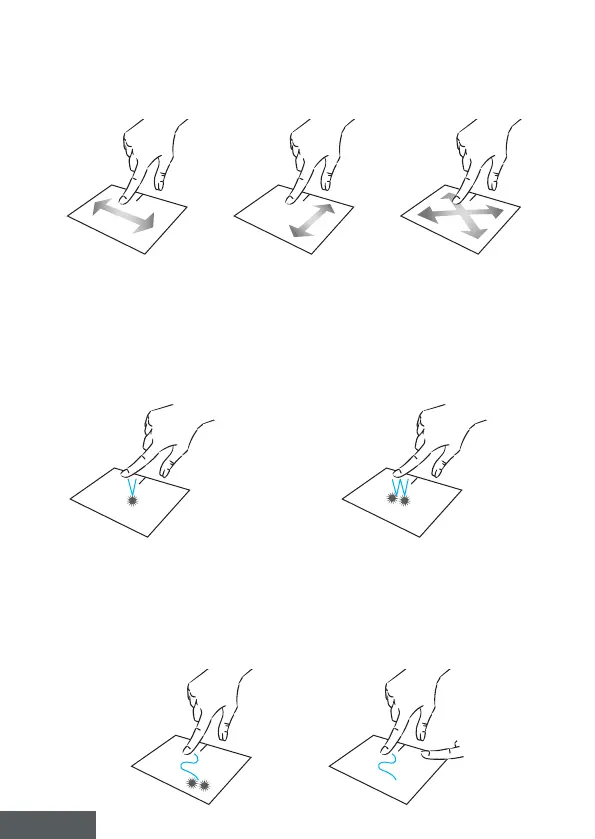
Move the pointer
Slide your nger on the touchpad to move the cursor.
Click / Double-click
Press briey once to make a click.
For example, to select an item on the
desktop or in the le explorer or to
open an application from the start
menu.
Press briey twice to make a double
click. For example, on the desktop or
in the le explorer, this function will
allow you to open the selected item.
Drag and drop
Press the trackpad briey twice to select the item and hold your nger on
the trackpad by sliding it to the desired position and releasing. You can also
select an element and hold down a left click while sliding another nger on
the touchpad to drag and move an element.



 To Next Page