EasyManua.ls Logo

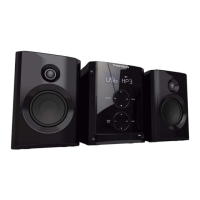
THOMSON mic100 - User Manual

THOMSON mic100
36 pages
Go to English
Print Icon
To Next Page IconTo Next Page
Loading...
Obtenir et télécharger les mise à jour sur
Get and download support at
www.thomsonaudiovideo.eu
MIC100
FR
EN
DE
ES
IT
MICRO-CHAÎNE
MICRO SYSTEM
MIKRO-STEREOANLAGE
MICROCADENA
MICRO HI-FI
FM
AUX
PLL
Downloaded From Disc-Player.com Thomson Manuals

Other manuals for THOMSON mic100

Questions and Answers

  • K
    kingbrianAug 8, 2025
    What to do if my THOMSON Stereo System remote control does not work properly?
    • K
      Kimberly BoyleAug 8, 2025
      If the remote control of your THOMSON Stereo System isn't working, there might be several reasons. First, ensure that you are pointing the remote towards the appliance sensor. The remote control has an effective range of 5 meters or the angle of aim is not correct. Also, check for any obstacles between the remote and the appliance and remove them. Finally, the batteries might be flat; try replacing them with new ones.
  • G
    gailthompsonAug 25, 2025
    Why is the THOMSON mic100 remote control not working properly?
    • T
      timothymorrisonAug 25, 2025
      The remote control might not be working because it is not pointed towards the appliance sensor. Ensure you are pointing the remote control directly at the sensor on the Thomson Stereo System. Also, check for any obstacles between the remote control and the appliance that may be blocking the signal. Remove any such obstacles.

Summary

Safety Recommendations

Warning Concerning Use and Installation

Provides warnings and guidelines for safe installation and operation of the appliance, covering electrical hazards, placement, and environmental conditions.

Information About Batteries

Details safe handling, use, and disposal of batteries for the appliance, warning against misuse and mixed battery types.

About the Disks

Provides instructions on proper handling, storage, and cleaning of discs to prevent damage and ensure optimal playback.

Description of Controls and the Remote Control

Unit Controls and Connections

Details the functions of the appliance's buttons, ports, indicators, and other physical controls for operation and connectivity.

Using the Appliance

Power Supply and Speakers

Instructions on connecting the speaker wires and the main power supply for the appliance to function correctly.

Radio Operation and Programming

Guides on tuning, saving stations, and using the appliance's radio functions, including automatic programming.

Appliance Operation and Time Setting

Explains how to turn the appliance on/off, use tactile keys, and set the 12/24 hour display time.

CD Player and Repeat Modes

Steps for playing CDs, inserting discs, selecting CD mode, and managing different repeat playback options.

Programmed Playback and USB Port

Details on programming tracks for playback from CD/USB and using the USB port for MP3 file playback.

Headphone and Auxiliary Functions

Guidance on connecting headphones, noting speaker deactivation, and using the auxiliary input for external devices.

Technical Specifications

Lists key technical details including power source, voltage, frequency range, power consumption, and notes on design changes.

Troubleshooting and Cleaning

No Power Issues

Addresses issues related to the appliance not receiving power, checking the power supply cable and mains connection.

No Sound Troubleshooting

Troubleshoots lack of sound by checking external source equipment and ensuring correct audio connections.

Playback Start Issues

Diagnoses why the appliance fails to play discs, covering disc insertion, readability, orientation, and cleanliness.

Remote Control Malfunctions

Resolves remote control issues by checking sensor alignment, range, obstructions, and battery status.

Maintenance and Cleaning Guide

Provides instructions for safely cleaning the appliance, emphasizing gentle methods and avoiding liquids or abrasives.

THOMSON mic100 Specifications

General IconGeneral
USB portYes
RadioYes
Radio bands supportedFM
Number of speakers2
Optical disc playerYes
Disc types supportedCD, CD-R, CD-RW
Headphone outputs1
TypeMicro set
Playable formatsMP3
Headphone connectivity3.5 mm

Related product manuals