11 EN
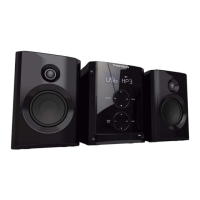
MICRO SYSTEM
MIC100
TECHNICAL SPECIFICATIONSUSING
• Remote control power source: 1 CR.2025 3V lithium
mini battery (included).
• Power: AC 230V/50Hz.
• Frequency range: FM: 88 - 108.0 MHz.
• Consumption: 7W maximum.
PROGRAMMED PLAYBACK
Programming up to 20 tracks in order:
• The CD or USB must be stopped.
• Press on the PROG key: “P01” is displayed on the
screen.
• Press keys { and } to choose a track.
• Press the PROG key to save each track (20 maximum).
• Press the key 12: the appliance plays the tracks in the
order programmed.
• To cancel programmed playback, press on the 3 key
twice.
USB PORT
The appliance is tted with a USB port (A) to play music
les (MP3) stored on a USB key.
• No disc should be playing.
• Connect a USB drive to the USB port (A) of the reader.
• Press successively SOURCE: “USB” appears on the
screen and reading the contents of the USB stick is
read automatically.
The playback functions are the same as for a CD.
Comment:
• Press the Mode Selector (3) to select the “USB”
function.
• It is recommended that key content is backed up to
avoid data loss.
• IMPORTANT: 32 GB maximum capacity. The reader
does not work with all USB devices (external hard
drives for example.)
HEADPHONE SOCKET
Headphones (not provided), tted with a Ø 3.5mm jack and
not exceeding 100dB can be connected to the appliance.
• Connect the headphones to the socket (D).
Note: When the headphones are connected, the loud
speakers are automatically inactive.
Use the appliance at a comfortable volume to preserve user
health.
AUXILIARY FUNCTION
• Connect a portable CD or MP3 player to the AUX IN (E)
socket using an audio cable (cable not provided).
• Turn the appliance on.
• Press SOURCE several times: “AUX” is displayed on
the screen.
• Use the peripheral device commands directly.
Note: Unit design and specications are subject to change
without notice. The manufacturer reserves the right to make
the necessary improvements.
Downloaded From Disc-Player.com Thomson Manuals



 To Next Page