EasyManua.ls Logo

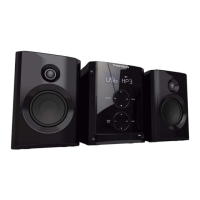
THOMSON mic200 - User Manual

THOMSON mic200
36 pages
Go to English
Print Icon
To Next Page IconTo Next Page
Loading...
FM MW AUXPLL
RDS
MIC200





MICRO-CHAÎNE
MICRO SYSTEM
MIKRO-STEREOANLAGE
MICROCADENA
MICRO HI-FI
Obtenir et télécharger les mise à jour sur
Get and download support at
www.thomsonaudiovideo.eu

Questions and Answers

  • J
    James ChambersJul 28, 2025
    Why is my THOMSON mic200 Stereo System remote control not working?
    • M
      Marie OwensJul 28, 2025
      The remote control might not be working for several reasons: * Ensure that the remote control is pointed directly at the appliance sensor. * There might be an obstacle between the remote control and the appliance. Remove any objects that could be blocking the signal. * The remote control batteries may be flat. Replace them with new ones.
  • J
    Jennifer AriasAug 13, 2025
    How to fix a THOMSON Stereo System that doesn't start playing?
    • B
      bdouglasAug 13, 2025
      Your THOMSON Stereo System may not start playing for several reasons: * Ensure that a disc has been inserted into the tray. * The disc in the tray might not be readable. Place a legible disc in the tray. * The disc might be upside down. Position the readable side of the disc downwards. * The disc might not be correctly positioned inside the guide on the tray. Correctly position the disc on the tray, inside the guide. * The disc might be dirty. Clean the disc.

Summary

Safety Recommendations

General Use and Installation Warnings

Avoid fire/shock by keeping appliance away from rain, humidity, sunlight, heat, and ensuring stable placement.

Class 1 Laser Product Safety

Safety precautions for Class 1 Laser product, do not open or touch the laser lens.

Mains Voltage Adapter

Battery Information and Handling

Disk Handling and Care

Controls and Remote Description

Appliance Controls Overview

Details the functions of buttons on the main appliance unit, including ON/OFF, Source, and Playback controls.

Remote Control Functions

Explains the functions of the remote control buttons for playback, tuning, volume, and special features.

Using the Appliance

Power Supply and Speaker Connection

Instructions for connecting the mains adapter, power supply, and speakers to the appliance.

Using the Radio Tuner

Guide on turning on, selecting tuner function, tuning stations, and using FM aerial.

Programming Radio Stations

Steps for manual and automatic programming and accessing saved radio stations.

RDS Functionality

Explains how to use the Radio Data System (RDS) for station information like PS, PTY, RT, and CT.

Using the CD Player

CD Playback and Repeat Modes

How to play CDs, manage playback modes like repeat one/all, and random playback.

Programmed CD Playback

Instructions for programming and playing tracks in a specific order.

Equaliser Settings

USB Port Usage

USB Ripping Function

Headphone Socket Usage

Auxiliary Input Function

Technical Specifications

Troubleshooting and Cleaning

Troubleshooting Common Problems

Solutions for issues like no power, no sound, or remote control malfunction.

Appliance Maintenance and Cleaning

Guidelines for cleaning the appliance safely and properly, avoiding liquids and abrasives.

THOMSON mic200 Specifications

General IconGeneral
BrandTHOMSON
Modelmic200
CategoryStereo System
USB PortYes
FM RadioYes
AUX InputYes

Related product manuals