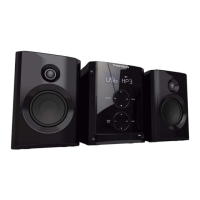
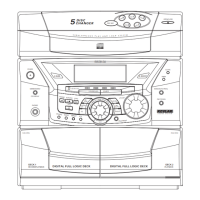
MICRO SYSTEM
MIC200
USING
Speaker connection
• Unfurl the load speaker wires and connect them to the
corresponding terminals.
Red Black
Mains power supply
• Check that the appliance is off.
• Connect the mains adapter plug to the socket .
• Connect the adapter to a plug socket.
• Only use the adapter provided. To use another adapter,
check that it has identical characteristics and is
compliant with current standards.
• Press q to turn the appliance on: the indicator light
turns off.
• Press q button to turn the appliance to stand-by mode:
the indicator light turns on.
Tactile keys react to touch under normal conditions. They
do not react to greasy or wet ngers. Always clean and dry
the surface with a soft cloth. Do not use a damp cloth or an
aggressive detergent.
• Turn the appliance on and press to select the
« TUNER » function.
• Tune the radio to the desired station using keys 5 and
6: the frequency is displayed on the LED screen.
• Press successively keys 5 and 6to select an FM
station.
• Press the key 6 for 2 seconds to scroll through
frequencies, then release to trigger automatically on the
nearest station received.
• To turn the radio off, press the q button.
: For improved reception, unfurl the FM wire aerial
located at the rear of the appliance.
Manual programming:
• Select a station to be saved.
• Press of the device or on the
remote: program mode (P- 01) is displayed.
• Press and keys top select a number.
• Press of the device or on the
remote, to save each station (20 maximum).
• View the programmed radio stations using keys
and .
Automatic programming:
Press of the device or on the remote
for 3 seconds: programming will launch automatically and
memorize received stations.
Accessing saved stations:
• Press keys and to access the saved stations.
In Off mode:
• Press of the device or on the
remote and hold it down for 2 seconds.
• Press keys and to switch between 12 or 24-
hour display.
• Press on the of the device or on
the remote: the display ashes.
• Set the time using the keys and .
of the device or on the remote to conrm.
• Repeat the previous operation to set the minutes.
The RDS (Radio Data System) function enables the
transmission of additional information from some stations.
To access these functions, press on the remote
control to scroll through them in the following order:
• PS (Program Service): Displays the name of the radio
station
• PTY (Program TYpe): Gives the type of the program
broadcast from a predened list of 32 types
• RT (Radio Text): Displays the references of the music
played (title, artist’s name)
• CT (Clock Time): Displays the time sent by the station
and sets the time on the device
• Frequency display



 To Next Page