12EN
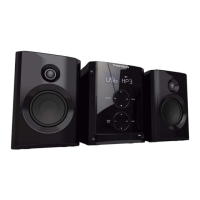
MICRO SYSTEM
MIC100/MIC101
TROUBLESHOOTING AND CLEANING
Problems Cause Solutions
No power pThe power supply cable is
disconnected.
p$PSrectly connect the power supply cable to
the mains socket.
No sound p5IFFYUFrnal source equipment is off. pTurOUIFFYUFrnal power source equipment on.
The appliance doesn’t
start playing.
p/PEJTDIBTCFFOJOTFSUFEJOUPUIFUSBy.
p5IFEJTDJOUIFUSBZDBOOPUCFread.
p5IFEJTDJTVQTJEFEPXO
p5IFEJTDJTOPUJOTJEFUIFHVJEF
p5IFEJTDJTEJSUy.
p1MBDFBEJTDJOUIFUSBy.
p1MBDFBMFHJCMFEJTDJOUIFUSBy.
p1PTJUJPOUIFreadable side of the disc
downwards.
p$PSrectly position the disc on the tray, inside
UIFHVJEF
p$MFBOUIFEJTD
The remote control does
not work properly.
p5IFremote control is not pointed
towards the appliance sensor.
p5IFremote control does not activate
the appliance.
p5IFre is an obstacle between the
remote control and the appliance.
p1PJOUUIFremote control towards the
appliance sensor.
p5IFremote control has an efGFDUJWFSBOHFPG
metrFTPSUIFBOHMFPGBJNJTOPUDPSrect.
p3FNPWFUIFPCKFDU
$POTVMUUIFGPMMPXJOHUBCMFJGUIFre is a problem with the appliance.
JTBUSBEFNBSLPG5&$)/*$0-034"VTFEVOEFSMJDFOTFCZ
1BSTPOT*OUFrnational France - 19 BoulevarE"MCFSU&JOTUFJO
77420 Champs sur Marne - France
Monday to Thursday (frPNBNUPQNBOE'SJEBZBNUPQN
www.thomsonaudiovideo.eu
N°Azur
(+33
)
0825 745 770
call rate accorEJOHUPPQFSBUPS
MAINTENANCE AND CLEANING
p6OQMVHUIFBQQMJBODFCFGPrFDMFBOJOHJU
th. Do not use abrasive products or solvents that may
EBNBHFUIFBQQMJBODF’s surface.
ATTENTION: Never immerse the appliance in water or in any liquid whatsoever.
p*GJUJTOPUVTFEGPSBMPOHUJNFVOQMVHUIFBQQMJBODFBOEremove the batteries.
Remark: In order to save energy when the unit has no sound output for a while, the unit will be switched to stand-by
automatically. It can be switched ON by using the function selector again.
• Don’t throw the electrical and electronical appliances into the usual dustbin.
• Bring them to a collecting point.
• Some parts contained in these appliances may be dangerous for health and environment.
Imported by BIGBEN INTERACTIVE SA
396, Rue de la Voyette
CRT2 - FRETIN
CS 90414
59814 LESQUIN Cedex - France
www.bigben.eu
Made in China
THOMSON is a trademark of TECHNICOLOR SA or its afliates used under license to Bigben Interactive.
WARNING! Risk of hearing damage
• Set a low volume on the playback device before you connect the headphones to the sound source.
• Avoid excessive volumes, particularly over extended periods or in the case of frequent use. Excessive volume
can result in permanent hearing damage.



 To Next Page
 Loading...