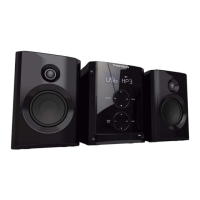
- EN 4 -
7) Select the time setup
8) Select the alarm setup
9) Select the sleep timer setup
10) Select the audio source: DAB-FM-CD-USB-BT-LINE
11) Stop the play
12) Play or pause plays the disc
Select or conrm the option.
13) Skip to the next track or previous track
Tune to a radio station.
Press and hold the key to search within a track / USB.
14) Select the EQ setup
15) Info button
16) Dimmer for brightness setting
17) Adjust the volume level
18) Snooze
19) CD insert door
20) LCD display
21) Remote receive window
22) Line in jack
23) USB port
24) R/L speaker connecter
25) FM/DAB ant
26) AC mains socket
Power
CAUTION
• Risk of product damager! Make sure that the power voltage corresponds to the
voltage printed on the back label.
• Risk of electric shock! When you unplug the AC power cord always pull the plug
from the socket. Never pull the cord.
• Before connecting the AC power cord, ensure you have completed all other
connections.
Place the unit in the desired position and unravel the mains cable. Insert the cable into the supply
socket and switch on if applicable.
Auto standby
When playing media from a connected device, the Tower automatically switches to standby if:
• No button is pressed for 10 minutes,
• No audio from a connected device for 10 minutes.



 To Next Page