EN
4
Operating the Clock
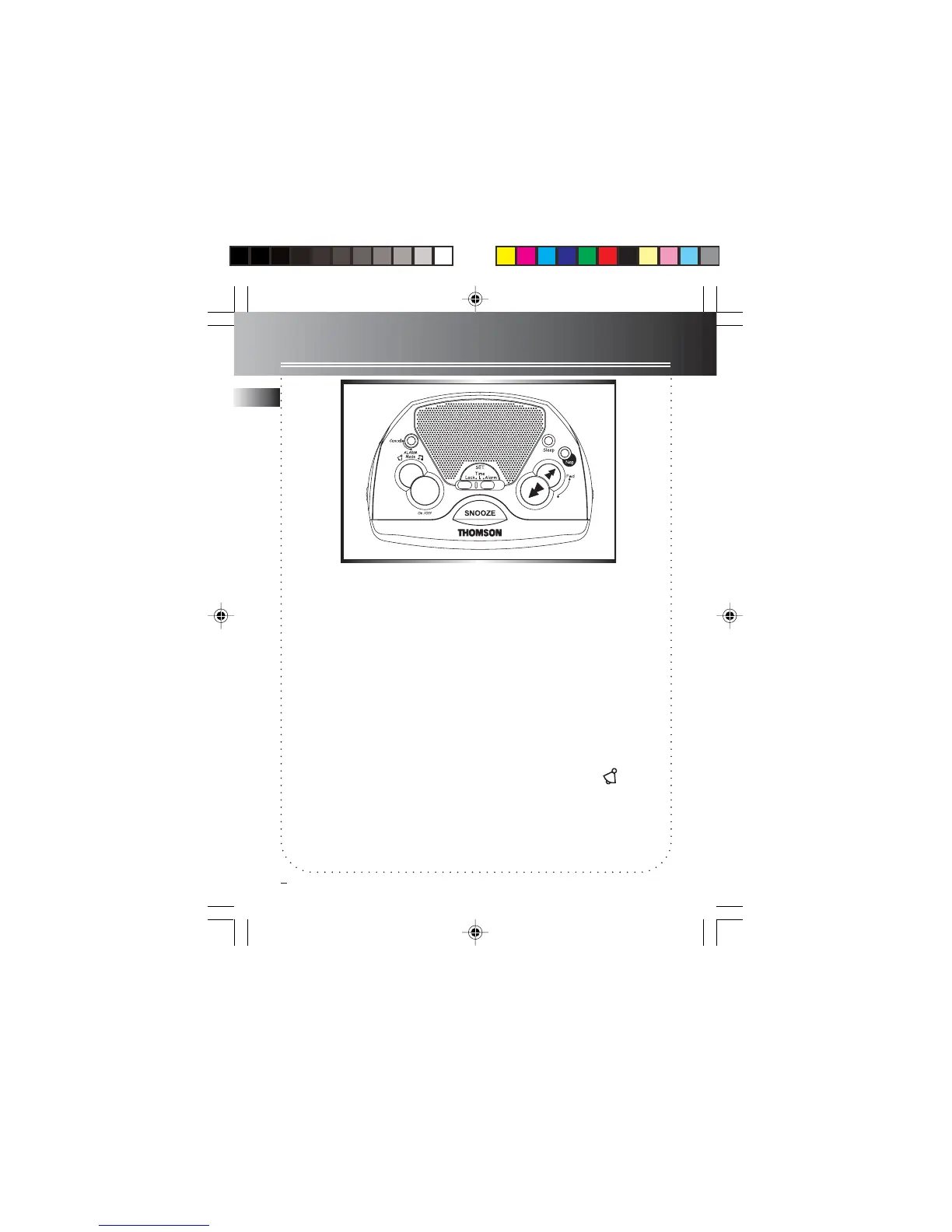
Setting Clock Time
Your digital clock operates on a 24-hour
standard mechanism.
1. Slide the set switch to TIME.
2. Press REV or FWD to set the clock time.
When you press and hold REV or FWD,
the time decrements or increments will
follow by a fast rate. No adjustment
can be made when LOCK mode is se-
lected.
Setting the ALARM Time
This clock radio has one alarm, the setting
procedures are as follow:
1. Slide the set switch to ALARM.
2. Press REV or FWD to set the alarm time.
The time decrements or increments will
follow by a faster rate when you press
and hold either REV or FWD.
3. Alarm time is set. A blinking red indica-
tor is activated.
Note: The unit equips with GRAD-U-
WAKE feature, the alarm tone vol-
ume will increase gradually to its
maximum in about 30 to 45
seconds.(Volume level cannot be
adjusted in GRAD-U-WAKE mode)
Tips: If you set SLEEP function with
low volume level before going to bed,
we advise using BUZZER mode to
wake you up since its volume will
automatically increase.
Rev
RR60 EN 9/10/02, 5:28 PM5



 To Next Page