7
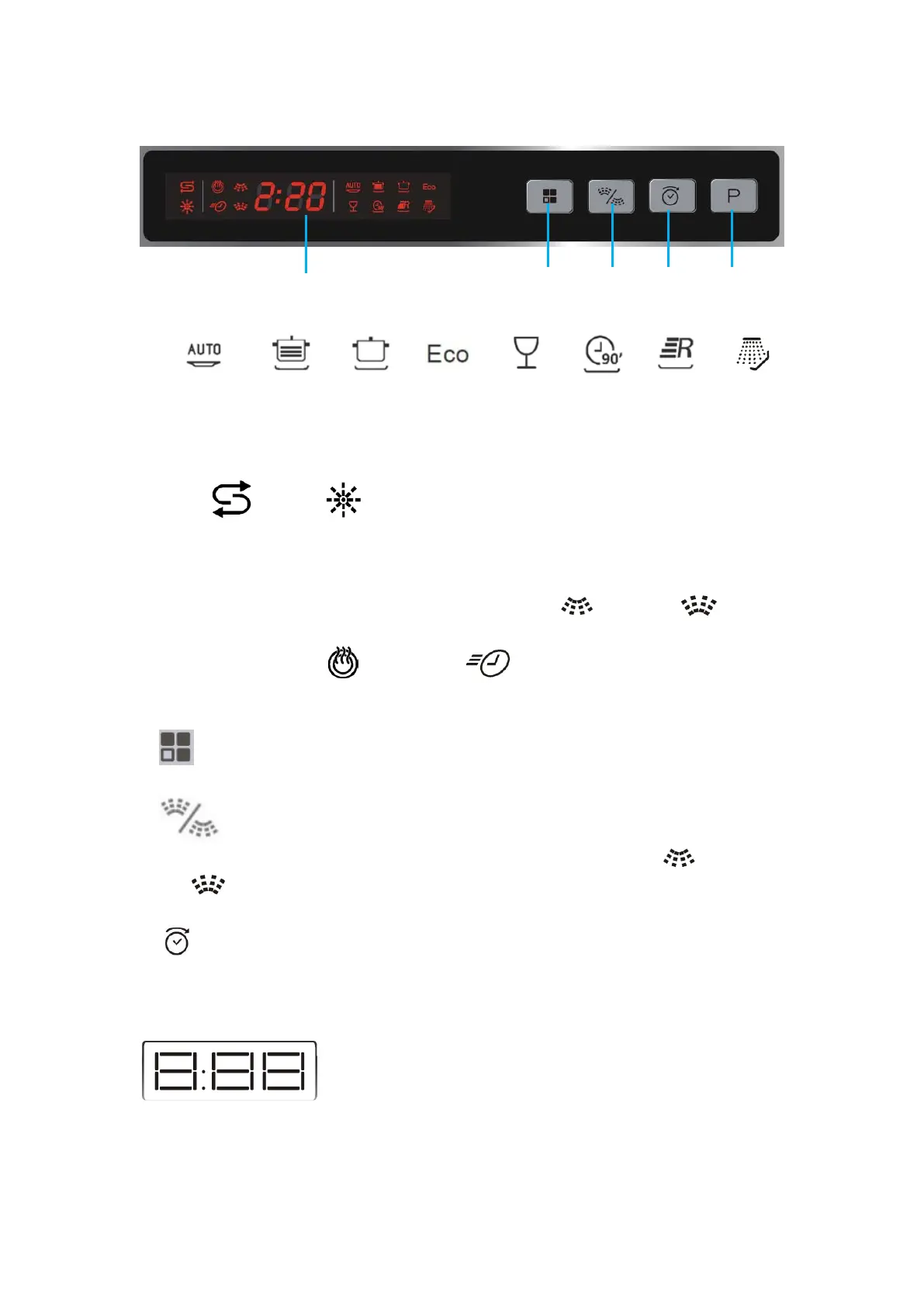
Right part of the control panel
1. Display
To show washing programme time and indicator lights:
To show delayed start time, water hardness setting and error codes
To show status indicator lights
To show dual spray indicator lights:
Designate the washing programme to the upper ( ) or lower ( )
basket.
To show extra dry and express indicator lights
2. Function button
Press to select extra dry or express function.
3. Dual spray button
Allows you to designate the washing programme to the upper ( ) or lower
( ) basket, or both.
4. Delayed start button
5. P Washing programme button
Front display
The display on the front of the dishwasher
shows the remaining washing time, delayed
start time and error codes.
Downloaded from www.vandenborre.be


 To Next Page