1
5
Using the Rinse Aid and Detergent Dispensers
The rinse aid helps the dishes dry faster and prevents the
formation of scale deposits and staining. It is automatically
added to the water during the final rinse cycle.
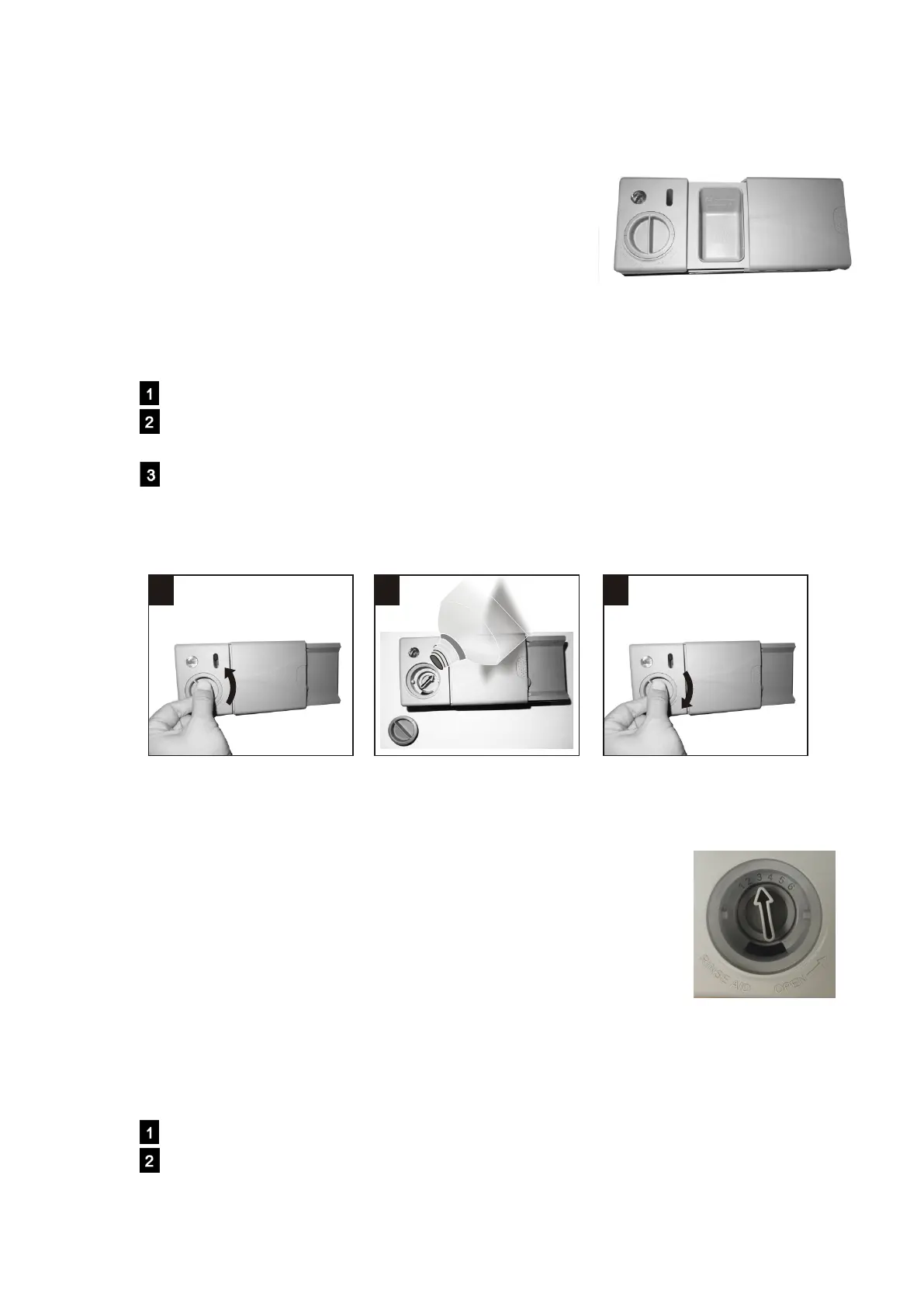
The detergent and rinse aid dispensers are located on the
inner part of the door:
Adding the rinse aid
Rotate the dispenser cap anticlockwise and remove it.
Add the rinse aid until the container is full.
The optical level indicator on the side of the cap should be completely dark.
Replace the cap and turn it clockwise.
NOTE: Refill the rinse aid when the optical level indicator becomes clear again, or when the
rinse aid indicator light illuminates.
Adjusting the rinse aid dispenser setting
The factory setting for the dishwasher is 3 and you can choose among 6 settings.
The amount of rinse aid dispensed is proportional to the selector position.
1. To adjust the rinse aid setting, remove the dispenser cap.
2. Use a screwdriver (not supplied) to rotate the rinse aid selector to
the desired position.
3. Replace the cap and turn it clockwise.
NOTE: The amount of rinse aid must be increased if the washed
dishes appear dull or feature circular stains. If the dishes are
sticky or have white streaks, it is necessary to reduce the
rinse aid setting.
Adding the detergent
To open the detergent dispenser cap, gently press the release button.
Add the detergent and close the cap carefully.
11 22 33
the detergent dispenser is on the
right, and the rinse aid dispenser is on the left.
Downloaded from www.vandenborre.be


 To Next Page